

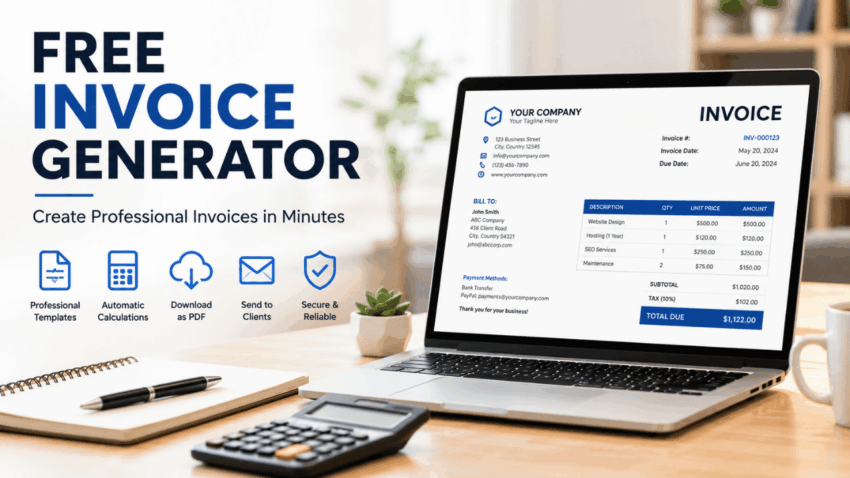
Managing invoices is one of the most important aspects of running a successful business. Whether you are a freelancer, consultant, contractor, online seller, or small business owner, sending professional invoices helps you maintain accurate financial records while ensuring timely payments from clients. Fortunately, modern technology has made invoicing much easier through free invoice generators.
A free invoice generator allows users to create professional invoices within minutes without requiring advanced accounting knowledge or expensive software. These online tools typically provide customizable templates, automatic calculations, tax fields, payment terms, and downloadable formats such as PDF, making invoicing faster and more efficient.
This guide explains what a free invoice generator is, its benefits, key features, best practices, and how businesses can use these tools to improve their billing process.
What Is a Free Invoice Generator?
A free invoice generator is an online tool that enables individuals and businesses to create professional invoices quickly. Instead of designing invoices manually using word processors or spreadsheets, users simply enter their business information, customer details, products or services, pricing, taxes, and payment terms.
Most invoice generators automatically calculate totals and produce clean, professional-looking invoices that can be downloaded or shared electronically.
Common information included in an invoice includes:
- Business name
- Business address
- Customer details
- Invoice number
- Invoice date
- Due date
- Product or service descriptions
- Quantity
- Unit price
- Tax information
- Total amount due
- Payment instructions
Professional invoices help businesses maintain consistency while creating a positive impression on clients.
Why Businesses Use Free Invoice Generators
Businesses of all sizes benefit from using invoice generators.
Major advantages include:
- Faster invoice creation
- Professional appearance
- Automatic calculations
- Improved organization
- Reduced billing errors
- Easy record keeping
- Convenient digital storage
These tools save valuable time that can instead be spent serving customers and growing the business.
Key Features to Look For
Not all invoice generators offer the same capabilities. Choosing the right one depends on your business requirements.
Important features include:
Custom Invoice Templates
Professional templates allow users to create invoices that reflect their brand identity.
Many templates support:
- Company logos
- Custom colors
- Business information
- Personalized notes
- Payment instructions
Consistent branding improves professionalism.
Automatic Calculations
Manual calculations can easily lead to mistakes.
Invoice generators automatically calculate:
- Subtotals
- Taxes
- Discounts
- Shipping charges
- Grand totals
Automation reduces errors while improving accuracy.
Multiple Currency Support
Businesses serving international clients often require invoices in different currencies.
Many generators support multiple currencies and international formatting.
PDF Downloads
Most invoice generators allow invoices to be downloaded as PDF files, making them easy to print, email, or archive.
Benefits for Freelancers
Freelancers often manage multiple clients simultaneously.
A free invoice generator helps freelancers:
- Track completed work
- Send invoices quickly
- Organize payment records
- Maintain professional communication
- Reduce administrative work
Efficient invoicing contributes to faster payments and stronger client relationships.
Benefits for Small Businesses
Small businesses frequently operate with limited administrative resources.
Invoice generators simplify daily operations by:
- Standardizing invoices
- Improving bookkeeping
- Supporting tax preparation
- Reducing paperwork
- Saving time
These benefits become increasingly valuable as businesses grow.
Common Invoice Sections
A complete invoice should always include essential information.
Typical sections include:
Seller Information
Include:
- Company name
- Address
- Phone number
- Website
Customer Information
Include:
- Customer name
- Company
- Billing address
- Contact information
Products or Services
Clearly describe:
- Item name
- Quantity
- Unit price
- Total price
Detailed descriptions reduce confusion.
Payment Terms
Specify:
- Due date
- Accepted payment methods
- Late payment policy
- Additional notes
Clear payment terms encourage timely payments.
Digital Invoicing Advantages
Digital invoices have become increasingly popular because they offer greater convenience than paper invoices.
Benefits include:
- Instant delivery
- Cloud storage
- Easy editing
- Environmentally friendly
- Faster processing
- Better organization
Many businesses now maintain completely digital invoicing systems.
Best Practices for Professional Invoices
Following a few best practices improves the effectiveness of every invoice.
Recommendations include:
- Use sequential invoice numbers.
- Double-check customer information.
- Verify pricing before sending.
- Include complete payment instructions.
- Send invoices promptly.
- Maintain organized records.
Professional invoicing supports better financial management.
Choosing the Right Invoice Generator
When selecting an invoice generator, consider factors such as:
- Ease of use
- Mobile compatibility
- Template selection
- Security
- Export options
- Customer support
- Customization features
Many providers also offer additional business tools like expense tracking and payment integration.
If you are comparing different invoicing platforms and educational resources, you can explore additional information here to better understand which features best match your business needs and workflow.
Common Mistakes to Avoid
Many businesses make simple invoicing mistakes that delay payments.
Examples include:
- Missing invoice numbers
- Incorrect pricing
- Incomplete customer details
- Unclear payment terms
- Mathematical errors
- Forgetting tax information
Reviewing every invoice before sending helps avoid these issues.
Frequently Asked Questions (FAQs)
What is a free invoice generator?
A free invoice generator is an online tool that helps businesses and freelancers create professional invoices quickly without purchasing accounting software.
Is a free invoice generator suitable for small businesses?
Yes. Many small businesses use free invoice generators because they simplify billing while reducing administrative work.
Can invoices be customized?
Most invoice generators allow users to customize logos, colors, payment terms, notes, and business information.
Are PDF invoices supported?
Yes. Most modern invoice generators allow invoices to be downloaded and shared as PDF documents.
Why is professional invoicing important?
Professional invoices improve customer trust, reduce payment disputes, support financial record keeping, and encourage timely payments.
Can freelancers benefit from invoice generators?
Absolutely. Freelancers can create invoices quickly, maintain organized payment records, and present a professional image to clients.
Conclusion
A free invoice generator is an essential tool for freelancers, entrepreneurs, and businesses seeking an efficient way to manage billing. By automating calculations, providing professional templates, and simplifying record keeping, these tools reduce administrative effort while improving accuracy and consistency. Whether you invoice a few clients each month or manage hundreds of transactions, using a reliable invoice generator can help streamline your workflow, strengthen customer relationships, and support better financial organization as your business continues to grow.
