

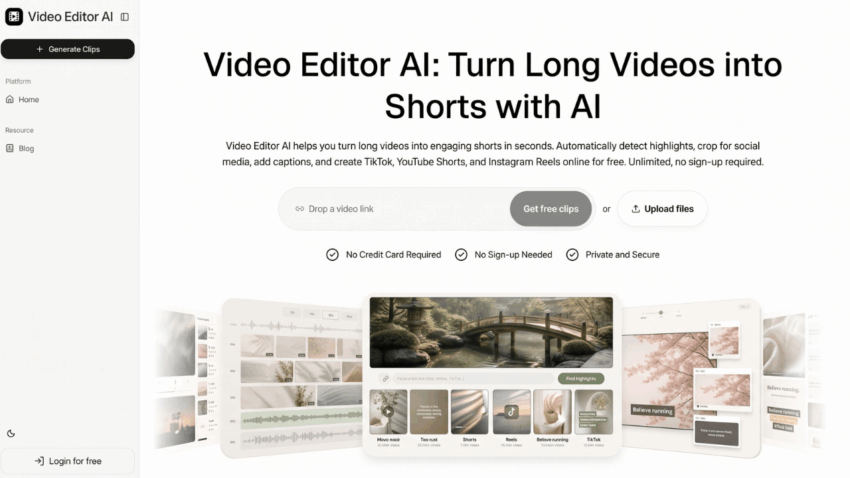
Twitch is not just another video platform. It has its own culture—one built around clips, chat reactions, and moments that blow up long after the stream ended. That culture rewards creators who can turn a long VOD into the right short clips, but it punishes the ones who post raw, slow highlights. Video Editor AI helps Twitch streamers create more of the clips that actually travel on the platform, without turning every VOD into a manual editing project.
Why Twitch highlights follow different rules
A highlight that works on Twitch is not the same as a generic short clip. Twitch audiences expect specific things from clips:
- a moment that started in chat, not just on screen
- a reaction the community can share and remix
- a payoff that works without watching the full stream
- a vertical cut that respects Twitch’s social and mobile contexts
That means the editing has to respect how the moment happened, not just where the action was. Video Editor AI helps streamers find and cut those moments faster, so the highlight keeps the energy that made it worth clipping.
Finding the moments chat already validated
One of the smartest ways to pick highlights is to look at where chat went loud. Those are the moments the audience already reacted to. Video Editor AI helps surface candidate moments from the stream, so you can match them against chat spikes instead of guessing which part of the VOD mattered.
Cut for the reaction, not just the action
A Twitch clip often works because of the reaction as much as the event. A sudden laugh, a surprising play, or a streamer’s response to chat can carry a clip on its own. Video Editor AI makes it practical to pull those reaction beats quickly, so your highlights reflect the community experience rather than just the gameplay.
Keep the clips native to the platform
Twitch content crosses into other feeds—TikTok, Shorts, Reels—so the clip has to work on a phone. Video Editor AI supports vertical reframing and captions, which helps a Twitch highlight survive the move from the desktop player to a social feed. That adaptation matters because most people will see the clip in a feed, not on Twitch itself.
A workflow for consistent Twitch clips
Consistency is what separates a channel that occasionally posts from one that grows steadily. The process below keeps clip production from becoming a second job.
Step 1: Log your best moments during the stream
Even a rough timestamp note helps later. If you know chat popped at a certain point, mark it. You do not need a full editing log—just a few signposts for the moments worth revisiting.
Step 2: Generate candidates from the VOD
Upload the VOD to Video Editor AI and let it surface candidate moments. Then compare the shortlist against your chat notes. The combination of automated discovery and community signal usually surfaces the strongest clips.
Step 3: Publish a mix, not just the biggest play
A healthy clip strategy includes different types: reaction clips, teachable moments, funny exchanges, and pure gameplay highlights. Video Editor AI makes it easy to produce that mix from a single VOD, which keeps your channel varied without extra recording.
What streamers should watch out for
Twitch clips can lose their appeal when they are stripped of context. A reaction that made sense in chat might fall flat to someone who sees only the clip. Captions can also miss in-game terms or streamer inside jokes. Video Editor AI speeds up the draft, but a streamer should still review each clip so the highlight carries its own meaning.
Why clip culture rewards volume with a point of view
Twitch clip culture is competitive, but it also rewards consistency. Streamers who publish a steady mix of moments—funny, educational, and dramatic—tend to build a following faster than those who only post the occasional big play. The difference is not raw output; it is output with variety. Video Editor AI supports that variety by making it easy to pull several different kinds of clips from a single VOD. Instead of one highlight per stream, you can publish a reaction clip, a lesson clip, and a pure gameplay clip, each speaking to a different part of your audience. That breadth is what keeps a Twitch channel feeling alive between live sessions.
Conclusion
Video Editor AI (https://video-editor.ai/) helps Twitch streamers create more highlights by accelerating moment discovery, cutting, captioning, and vertical reframing. It respects what makes Twitch clips work—the reaction, the community signal, and the feed-native format—while removing the manual work that keeps streamers from publishing consistently. For creators who want their best moments to travel beyond the live stream, Video Editor AI turns a long VOD into a steady supply of shareable clips.
Create more Twitch highlights with Video Editor AI today: https://video-editor.ai/
