

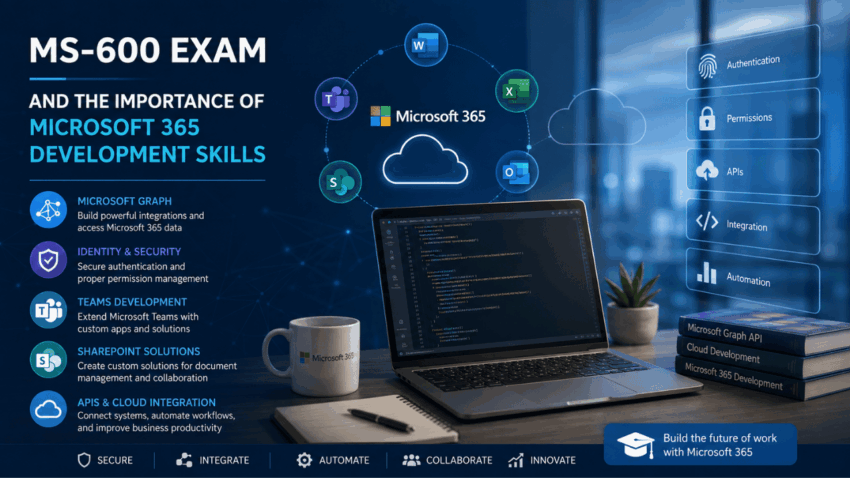
Modern organizations increasingly depend on cloud-based productivity platforms to support communication, collaboration, document management, and business operations. Microsoft 365 has become an important part of this environment, bringing together applications and services that allow employees to work from different locations while accessing information and collaborating digitally.
The MS-600 exam is associated with Microsoft 365 development and focuses on concepts involving Microsoft 365 services, application development, identity, collaboration, and integration. From an educational perspective, the subject provides insight into how developers can create solutions that work with Microsoft’s cloud-based productivity ecosystem.
Understanding these concepts can be valuable for software professionals who want to work with enterprise applications and cloud-based collaboration technologies.
Microsoft 365 and Modern Business
Microsoft 365 combines productivity applications and cloud services that organizations use for communication, collaboration, document management, and business workflows.
Employees may use Microsoft 365 applications to communicate with colleagues, manage documents, organize meetings, and collaborate on projects.
Developers can extend these capabilities by creating applications and integrations that connect Microsoft 365 with other systems.
This creates opportunities for organizations to automate repetitive processes and build customized digital experiences.
The Role of a Microsoft 365 Developer
A Microsoft 365 developer works at the intersection of software development and cloud collaboration.
The role can involve developing applications, integrating services, managing authentication, working with APIs, and creating solutions that improve organizational workflows.
Developers may work with technologies related to:
- Microsoft Graph
- Microsoft Teams
- SharePoint
- Microsoft identity services
- Cloud applications
- APIs
- Web technologies
- Application permissions
These technologies can be combined to create solutions tailored to specific business requirements.
Microsoft Graph
Microsoft Graph is an important technology for developers working with Microsoft 365.
It provides a unified API endpoint that allows applications to interact with data and resources across Microsoft services.
Depending on permissions and supported capabilities, applications can interact with information such as users, groups, calendars, files, messages, and collaboration resources.
Microsoft Graph can therefore act as a bridge between custom applications and Microsoft 365 services.
Identity and Authentication
Security is a major part of cloud application development.
Applications that interact with Microsoft 365 need appropriate authentication and authorization mechanisms.
Microsoft identity technologies allow organizations to manage users, applications, and access permissions.
Authentication establishes who or what is accessing a resource, while authorization determines what that identity is permitted to do.
Developers need to understand these concepts because incorrect permissions can expose sensitive information or prevent applications from functioning properly.
Application Permissions
Applications may require different levels of access depending on their functionality.
For example, an application that only displays limited user information may require fewer permissions than a system designed to manage organizational files or calendars.
The principle of least privilege is important because applications should generally receive only the permissions required for their intended functions.
Proper permission management can reduce security risks while supporting application functionality.
Microsoft Teams Development
Microsoft Teams has become an important collaboration platform for organizations.
Teams allows employees to communicate through chat, meetings, channels, and shared resources.
Developers can extend Teams through applications and integrations.
Custom Teams solutions can provide organizations with specialized functionality within their existing collaboration environment.
Examples may include business applications, workflow integrations, notifications, dashboards, and interactive tools.
SharePoint Development
SharePoint is another important component of Microsoft’s collaboration ecosystem.
Organizations use SharePoint for document management, intranets, collaboration, lists, and structured business information.
Developers can create solutions that interact with SharePoint content and services.
Custom applications can help organizations connect SharePoint with other systems and automate certain business processes.
Understanding the relationship between SharePoint and Microsoft 365 can therefore be useful for enterprise application development.
Working With APIs
APIs allow different applications to communicate.
Modern business environments often contain many separate systems.
A company might have Microsoft 365 for collaboration, a customer relationship management platform for sales, an accounting application for finance, and custom software for internal operations.
APIs can allow these systems to exchange information.
Developers working with Microsoft 365 need to understand how API requests, authentication, permissions, data formats, and error handling work together.
Cloud Application Architecture
Modern Microsoft 365 solutions are often connected to cloud infrastructure.
Applications may use cloud services for computing, storage, databases, authentication, monitoring, and automation.
Developers therefore need to consider how different services interact.
A well-designed application should account for performance, scalability, security, reliability, and maintainability.
Cloud architecture also makes it possible to support users across different locations and devices.
Application Lifecycle
Developing an application involves more than writing code.
The lifecycle can include planning, development, testing, deployment, monitoring, maintenance, and updates.
Microsoft 365 applications may require ongoing management because cloud platforms and organizational requirements continue to change.
Developers need to consider how applications will be updated and maintained after their initial release.
Security Considerations
Security is particularly important when applications interact with organizational information.
Microsoft 365 can contain sensitive business documents, emails, calendars, user information, and collaboration data.
Developers therefore need to think carefully about application permissions and data access.
Secure development practices can include protecting credentials, validating input, controlling access, using appropriate authentication methods, and monitoring application activity.
Security should be considered throughout the application lifecycle rather than only after development is complete.
Integration With Business Systems
One of the most valuable capabilities of Microsoft 365 development is integration.
Organizations often need different applications to work together.
For example, an employee could submit a request through a Microsoft 365-based interface while an automated process sends information to an internal business system.
Integrations can reduce repetitive data entry and create smoother workflows.
They can also help organizations make better use of information that already exists within their technology environment.
Automation and Productivity
Automation is an important benefit of cloud development.
Routine tasks can sometimes be automated using applications, workflows, APIs, and cloud services.
Examples may include:
- Sending notifications
- Processing documents
- Updating records
- Managing approvals
- Synchronizing information
- Creating reports
Automation can save time and reduce repetitive administrative work.
Developers can therefore contribute directly to organizational productivity by identifying opportunities where technology can simplify existing processes.
Professionals interested in Microsoft 365 development, cloud applications, APIs, and related certification subjects can view this link here for additional educational information while also consulting official Microsoft documentation.
Career Opportunities
Knowledge associated with MS-600 can contribute to several technology career paths.
Potential roles include:
- Microsoft 365 Developer
- Cloud Developer
- Software Developer
- Collaboration Developer
- Application Developer
- Cloud Engineer
- Enterprise Application Developer
Professionals can also combine Microsoft 365 development skills with areas such as cybersecurity, artificial intelligence, DevOps, cloud architecture, and data engineering.
Frequently Asked Questions
What is the MS-600 exam?
The MS-600 exam is associated with Microsoft 365 development and covers technologies and concepts involved in building solutions within Microsoft’s cloud productivity ecosystem.
What technologies are relevant to Microsoft 365 development?
Microsoft Graph, Microsoft Teams, SharePoint, identity services, APIs, and cloud application technologies are among the areas relevant to this field.
Why is Microsoft Graph important?
Microsoft Graph provides APIs that allow applications to interact with data and resources across supported Microsoft services.
Is security important for Microsoft 365 applications?
Yes. Applications can interact with sensitive organizational information, making authentication, authorization, permissions, and secure development important considerations.
Can Microsoft 365 integrate with other applications?
Yes. APIs and integration technologies can allow Microsoft 365 services to communicate with external and custom business systems.
Conclusion
The MS-600 exam represents an area of modern Microsoft 365 development that combines software engineering with cloud collaboration technologies. Its associated concepts demonstrate how developers can create applications that interact with Microsoft 365 services and support organizational workflows.
Microsoft Graph, Teams, SharePoint, identity services, APIs, and cloud technologies provide developers with numerous opportunities to extend existing productivity platforms.
As organizations continue moving toward cloud-based collaboration, the ability to develop secure and useful integrations is becoming increasingly valuable. Microsoft 365 developers can help businesses connect applications, automate repetitive processes, improve productivity, and create customized digital experiences.
The future of enterprise software will likely involve greater integration between productivity platforms, cloud services, artificial intelligence, automation, and business applications. Understanding Microsoft 365 development concepts can therefore provide a strong foundation for professionals interested in building solutions for modern, connected workplaces.
