

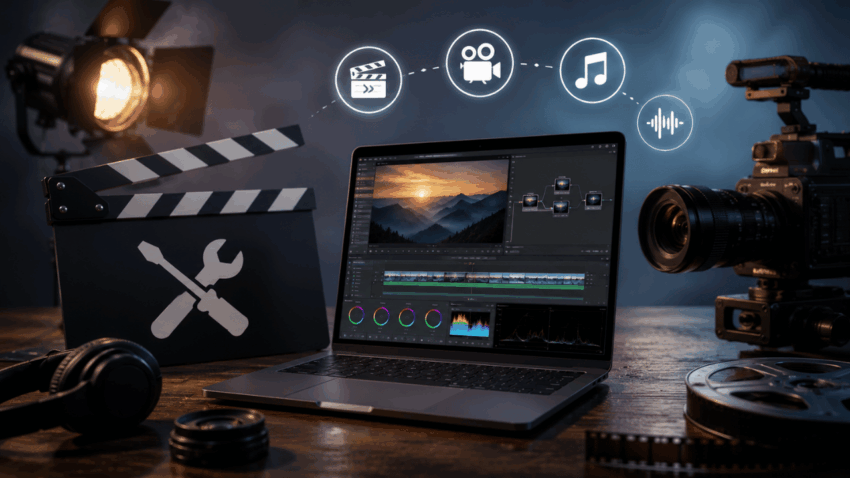
The gap between a great film idea and actually getting it done has, somehow, never been lower. Sites for filmmakers, industry blogs, and creative communities keep repeating the same truth, not even dramatically: the costly part of independent filmmaking doesn’t need to be the software anymore. Free professional-grade tools now cover a lot, from scripting the film to colour grading and polishing the final look, and low-budget creators are quietly using them to make projects that stand up in film festivals worldwide.
This post is about which specific tools are worth your attention, how to hook them together in a sensible workflow, and the usual mistakes that quietly eat away at time and quality.
Key Takeaways
- DaVinci Resolve, HitFilm Express, and OpenShot eliminate video editing costs entirely
- Celtx and StudioBinder handle pre-production planning without subscription fees
- Audacity, Freepik, and Creative Commons libraries provide professional audio and stock resources for free
- Combining multiple free tools in a structured workflow produces results comparable to paid production pipelines
- Poor audio and insufficient pre-production planning are the two most common quality killers in low-budget films
Free Video Editing Software Worth Using
DaVinci Resolve: Professional Color Grading at No Cost
DaVinci Resolve, developed by Blackmagic Design, is the industry standard for color correction used in Hollywood productions. The free version includes:
- Full-featured color grading with node-based workflow
- Multi-track timeline editing
- Fusion visual effects compositing
- Fairlight audio post-production suite
- Export support for H.264, H.265, and ProRes formats
DaVinci Resolve’s free tier has no watermark and no export limitations on resolution. For context, the paid Studio version costs $295 as a one-time purchase, but the free version covers the needs of most independent productions.
HitFilm Express: Visual Effects Without the Price Tag
HitFilm Express targets filmmakers who need compositing and VFX capabilities without subscribing to Adobe After Effects. Key features include:
- 180+ built-in visual effects and compositing tools
- Green screen keying and motion tracking
- 2D and 3D particle simulators
- Direct integration with editing timeline
HitFilm Express runs on both Windows and macOS, making it accessible across common production environments.
OpenShot: Simple Editing for Cross-Platform Teams
OpenShot suits filmmakers who need a lightweight, open-source editor compatible with Windows, macOS, and Linux. It supports unlimited tracks, basic keyframe animations, and a drag-and-drop interface suited to quick assembly edits and collaborative teams working across different operating systems.
Free Cinematography and Planning Tools
How Does Celtx Help With Pre-Production Planning?
Celtx provides scriptwriting, shot list creation, breakdown sheets, and production scheduling in one platform. The free tier supports:
- Industry-standard screenplay formatting
- Scene breakdowns with tagged props, cast, and locations
- Basic production scheduling
Professional scripts formatted correctly signal seriousness to cast and crew — and Celtx produces industry-standard output without requiring Final Draft, which retails at $199.99.
What Can StudioBinder Do for Shot Lists and Storyboarding?
StudioBinder’s free plan generates professional shot lists, call sheets, and storyboard templates. Directors use it to:
- Map camera angles, lens choices, and blocking
- Assign shot details to specific scenes
- Share production documents with crew digitally
A structured shot list reduces on-set decision-making time, which directly lowers production costs on shoot days.
Niche Focus Produces Better Results
Powerline Blog, which is for a pretty specific political readership, has built that kind of audience trust by staying consistent, with opinionated coverage, even if it’s about a narrow subject area. Kind of same idea fits filmmaking too.
Directors and teams that spell out a clear genre, a defined tone, and a target audience before they even start production usually end up with more cohesive creative choices. That also can cut down on those costly reshoots that happen when the creative direction is kind of fuzzy or doesn’t fully gel. So yes, specificity works as a production tool, not just a marketing thing.
Free Sound Design and Music Resources
Audacity: Audio Editing That Professionals Actually Use
Audacity is an open-source audio editor used by podcasters, musicians, and film sound designers. For filmmakers, it handles:
- Dialogue cleanup and noise reduction
- Multi-track audio mixing
- Export to WAV, MP3, AIFF, and FLAC
- Equalization and compression for voice clarity
Poor audio quality is the fastest way to undermine an otherwise well-shot film. Audacity removes that risk at no cost.
Stock Footage and Music: Where to Find Free Licensed Assets
- Pixabay: Offers royalty-free video clips and images under a permissive license, with no attribution required for most assets
- Freepik: Provides stock footage, motion graphics, and visual assets, with a free tier that covers basic production needs
- Free Music Archive and ccMixter: Both host Creative Commons-licensed music organized by genre, mood, and tempo, with filtering options for commercial use
Always verify the specific Creative Commons license on each asset. Licenses range from CC0 (fully public domain) to CC BY-NC (non-commercial use only), and misuse can create legal complications for distribution.
Tool Comparison: Features at a Glance
| Tool | Primary Function | Compatibility | Learning Curve | Export Options |
| DaVinci Resolve | Video editing and color grading | Windows, macOS, Linux | Moderate to steep | H.264, H.265, ProRes, DNxHR |
| HitFilm Express | VFX and compositing | Windows, macOS | Moderate | H.264, AVI, MP4 |
| OpenShot | Basic video editing | Windows, macOS, Linux | Low | MP4, AVI, MOV, WebM |
| Celtx | Scriptwriting and production planning | Web, iOS, Android | Low | PDF, FDX |
| StudioBinder | Shot lists and call sheets | Web, iOS, Android | Low | PDF, shareable links |
| Audacity | Audio editing and mixing | Windows, macOS, Linux | Low to moderate | WAV, MP3, AIFF, FLAC |
Practical Workflow Strategies for Free Tools
How Should Filmmakers Structure a Free-Tool Production Pipeline?
An effective low-budget workflow follows this sequence:
- Pre-production: Write and format the script in Celtx, then build shot lists in StudioBinder
- Principal photography: Capture footage with planned shots, reducing post-production guesswork
- Audio post-production: Clean and mix all dialogue and sound design in Audacity before beginning picture edit
- Video editing: Assemble the cut in OpenShot or DaVinci Resolve, depending on complexity
- Color grading: Finalize color in DaVinci Resolve using the node-based workflow
- VFX and compositing: Add visual effects in HitFilm Express, then re-export for final grade
Processing audio before picture lock prevents timeline misalignment during revisions.
Rendering and Export Best Practices
- Export a high-quality master file first (ProRes 4444 or DNxHR), then compress for delivery
- Use DaVinci Resolve’s “Optimize Media” function to create proxy files for smoother editing on lower-spec hardware
- Render VFX sequences from HitFilm as image sequences (PNG or EXR) rather than compressed video to preserve quality before final grade
Common Mistakes That Undermine Free-Tool Productions
- Relying on a single tool for everything: No one free tool covers every production stage well. A multi-tool workflow produces stronger results than forcing one platform to do jobs it was not designed for
- Neglecting audio quality: Research from the Journal of the Audio Engineering Society indicates that audio quality influences perceived video quality more than visual resolution does. A $30 lavalier microphone paired with Audacity outperforms expensive cameras paired with poor audio
- Skipping the shot list: Arriving on set without a shot list costs hours. StudioBinder takes 30 minutes to set up a complete shot list that saves far more time in production
Budget Constraints Do Not Limit Creative Vision
Among the tools presented here, you have everything you need to replace software suites that run $600 a year and up. Most importantly, they are the exact same tools professionals will actually use in the workforce. DaVinci Resolve is popular for post-production in big studio releases. This is the software used by working screenwriters: Celtx. Audacity is used in professional-level podcast and broadcast audio.
Those independent filmmakers willing to learn these tools purposefully develop real technical skills in addition to their more artistic ones. Take one tool per production step, learn it well and integrate the next. That way, it does not cost you money to build a professional workflow.
FAQs
Can the DaVinci Resolve free version be used for commercial film projects?
Yes. There is no restriction on commercial use for the free version of DaVinci Resolve. Films edited and graded in DaVinci Resolve can be freely distributed, sold, or submitted to festivals without a licensing headache. The free version is already commercially grade, with the paid Studio version adding features such as machine learning denoising AI and third-party integrations into advanced collaboration tools.
Is Celtx free to use for full-length screenplays?
Celtx has a free tier, which supports unlimited script length, along with basic production documents. A few premium features, such as real-time collaboration and extended production reports, are only available with a paid subscription. Our free plan covers standard pre-production needs for solo writers and small crews.
What Creative Commons license allows the broadest use for film soundtracks?
CC0 (Creative Commons Zero), which affords the widest rights of use, acting as if it places works in the public domain. CC BY attribution: commercial use is allowed and required. Do not use anything marked NC (Non-Commercial) or ND (Not derivatives): Filmmakers looking for festival or commercial distribution need to avoid this at all costs.
Can HitFilm Express handle professional-quality green screen compositing?
HitFilm Express can also use a Chroma Key tool along with edge refinement controls, which is great for clean green screen work in slightly controlled lighting conditions. The only issue with “recreating” complex scenes (with motion blur, hair or semi-transparent materials) comes down to lighting quality at the shoot – not software limitations.
How does OpenShot compare to DaVinci Resolve for a beginner editor?
While OpenShot has a far shallower learning curve and is well-suited for editors compiling basic cuts with minimal effects. DaVinci Resolve takes longer to learn but provides professional-quality colour tools and a more expandable workflow. While many people start out with much easier-to-learn software, DaVinci Resolve is good in the long run for any beginners who plan on pursuing filmmaking as a career.
