

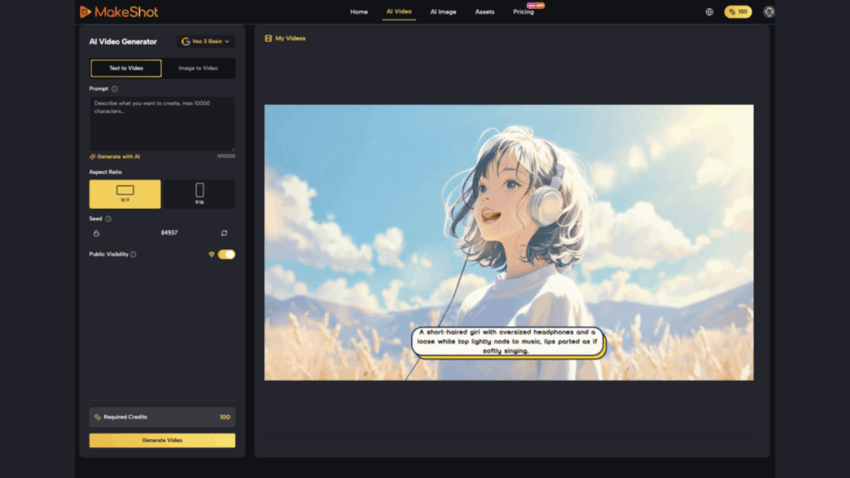
The first time I watched someone try an AI video generator, they opened the platform, stared at the blank canvas for three minutes, and closed it. “Too many options,” they said. “I don’t even know where to start.”
That reaction isn’t unusual. Beginners often approach AI tools with excitement that quickly turns to frustration. They expect a simple button that magically creates content, but instead find themselves navigating model selection, prompt engineering, and technical settings. The result? Many abandon the tool before discovering its real potential.
This doesn’t have to be your experience. With the right guidance and a platform designed for simplicity, you can go from confused to confident in your first session. Let’s walk through why AI tools feel overwhelming, how to overcome early mistakes, and how MakeShot makes the journey smoother.
Why Beginners Struggle with AI Tools (And It’s Not Your Fault)
The gap between expectation and reality is where most beginners stumble. You expect AI to work like Photoshop or iMovie—tools where you learn through experimentation. Instead, AI tools require you to think differently about creative direction.
Traditional video editing teaches you to work with existing footage. An AI video generator asks you to describe what doesn’t exist yet. This shift in mindset trips up even experienced creators. You’re not editing; you’re directing an invisible crew through language.
Another barrier is choice paralysis. Most AI platforms offer multiple models, each with different strengths. Should you use Veo 3 or Sora 2? When do you pick Nano Banana over other options? Without context, these decisions feel arbitrary. Beginners waste time comparing instead of creating.
Cost anxiety adds another layer. Many creators fear burning through credits on failed experiments. This hesitation prevents the iterative learning that actually builds competence. You end up overthinking every prompt instead of testing, learning, and refining.
Finally, technical jargon creates invisible walls. Terms like “reference images,” “native audio generation,” or “commercial usage rights” sound intimidating if you’ve never encountered them before. Nobody wants to admit they don’t understand, so they quietly give up.
The Real Cost of Waiting: Why Speed Matters
Here’s what I’ve observed working with creators: those who start immediately, even imperfectly, outpace those who wait for perfect conditions. The difference isn’t talent—it’s momentum.
When you delay learning an AI video generator, you’re not just postponing a skill. You’re watching competitors move faster. A social media manager using an AI image creator can test five design variations in an hour. Someone still debating whether to start? They’re still in the research phase.
The financial argument is equally compelling. Hiring a videographer for a single product demo costs hundreds. Running multiple iterations through an AI video generator costs a fraction of that. But you only realize this benefit once you start using it.
Content volume matters too. Platforms reward consistency. An AI video generator lets you maintain posting schedules without burning out. You create more, test more, and ultimately build a larger audience. The compounding effect of consistent content over six months dwarfs the output of sporadic, manually-created posts.
Getting Started: Your First Steps with an AI Video Generator
Step 1: Choose Your First Project (Small)
Don’t start with your magnum opus. Pick something low-stakes. A 15-second social media clip. A simple product showcase. A short educational video. Success breeds confidence, and small wins build momentum.
I recommend starting with a project you’ve already done manually. This gives you a reference point. You understand what success looks like, so you can evaluate whether the AI video generator delivered.
Step 2: Write a Clear, Specific Prompt
This is where most beginners falter. They write vague prompts and blame the tool when results disappoint. An AI video generator responds to precision.
Instead of: “Make a video about coffee”
Try: “30-second video of a steaming coffee cup on a wooden desk, morning sunlight from the left, warm and inviting aesthetic, no people, 4K quality”
Specificity works. Include duration, visual style, mood, and any technical requirements. Think of your prompt as a detailed creative brief, not a casual request.
Step 3: Start with One Model
MakeShot’s unified platform gives you access to multiple AI models—Veo 3, Sora 2, Nano Banana, and others. As a beginner, this is actually an advantage, but don’t use it yet. Pick one model and master it first.
Veo 3 is excellent for videos with integrated audio. Sora 2 excels at cinematic storytelling. Nano Banana handles photorealistic images. Choose based on your project, then commit to learning that model’s quirks before comparing alternatives.
Step 4: Generate and Review
Create your first version. Watch it completely. Take notes on what worked and what didn’t. Did the pacing feel right? Was the visual style what you imagined? Did the colors match your brand?
This isn’t about perfection. It’s about understanding how the AI video generator interprets your instructions. Each generation teaches you something about how to refine your next prompt.
Step 5: Iterate (Don’t Abandon)
Beginners often generate once, dislike the result, and quit. Professionals generate, analyze, adjust, and try again. The difference is iteration.
Modify your prompt based on what you learned. Maybe the lighting was too dark—specify “bright, well-lit.” Maybe the pacing felt slow—request “fast-paced, energetic.” Each iteration gets closer to your vision.
Common Mistakes Beginners Make (And How to Avoid Them)
Mistake #1: Vague Prompts
The most common error is treating an AI video generator like a search engine. You can’t Google your way to good results here. Detailed prompts produce better outputs. Include visual references, mood descriptors, and technical specifications.
Mistake #2: Unrealistic Expectations on First Try
Beginners expect perfection immediately. Professional creators know that AI tools, like any creative tool, require refinement. Your first generation is a draft, not the final product. Adjust your mindset accordingly.
Mistake #3: Not Using Reference Images
Nano Banana and other models support up to 4 reference images. This feature ensures consistency and style matching. Beginners often skip this, missing a powerful tool for brand coherence. If you want a specific aesthetic, show the AI image creator examples.
Mistake #4: Ignoring Commercial Rights
All content created with MakeShot comes with full commercial usage rights. You own what you create. No watermarks, no attribution required. Many beginners don’t realize this advantage and hesitate to use AI-generated content professionally. Claim ownership confidently.
Mistake #5: Trying All Models at Once
The unified platform is powerful, but overwhelming if you jump between Veo 3, Sora 2, and others immediately. Master one, then expand. You’ll learn faster and make better creative decisions.
Why MakeShot Removes Beginner Friction
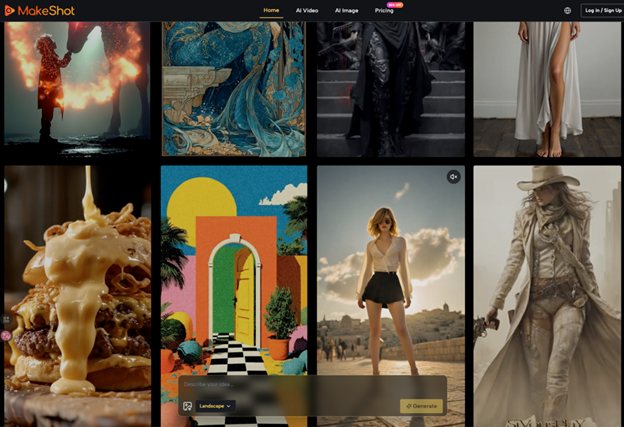
A unified AI video generator and AI image creator platform solves several beginner problems simultaneously.
First, it eliminates subscription fatigue. Instead of managing separate accounts for different models, you access everything through one interface. One login, one asset library, one billing statement. This simplicity matters more than you’d think—it removes friction that discourages beginners.
Second, the ability to compare results across models teaches you faster. Generate the same prompt with Veo 3 and Sora 2 side-by-side. You immediately see which model suits your style. This hands-on comparison beats reading reviews.
Third, native audio generation in Veo 3 eliminates a major pain point. Traditional workflows require separate audio editing. With an AI video generator that handles dialogue, sound effects, and ambient sound automatically, you skip hours of post-production. Production-ready content in one step changes everything.
Fourth, professional-grade output means your content competes with expensive productions. You’re not creating “AI-generated content that looks okay.” You’re creating broadcast-quality material. This confidence matters psychologically—you’re more likely to use and share content you’re proud of.
The Path Forward
Beginners feel overwhelmed by AI tools because the learning curve appears steep. But the actual barrier is lower than it seems. You need three things: a simple platform, clear guidance, and permission to iterate imperfectly.
MakeShot provides the platform. This guide provides the direction. The permission? That’s on you. Accept that your first generation won’t be perfect. Embrace iteration. Focus on learning, not perfection.
Within weeks, you’ll move from “I don’t know how to use an AI video generator” to “I can’t imagine creating content without one.” That’s not hype—that’s the natural progression when you remove confusion and build confidence through small wins.
Start small. Start today. Your future self will thank you for the head start.
