

A warehouse buyer considering a controls upgrade faces a practical question before choosing hardware: which zones, drivers, and operating patterns have actually been verified? It is tempting to assume that a new UFO high bay or KD-HBD fixture arrives with every smart-control function required for the project, but that assumption can create costly rework when the sensor zones, LED driver compatibility, control interfaces, and PC lens luminaire selection have not been confirmed before the order is released. Controls should fit the working warehouse, not an imagined version of it.
At the core, a control system is a set of relationships among occupancy, daylight, wiring, fixture electronics, schedules, and the people responsible for adjustment, so each relationship needs evidence. Product names and general statements about intelligence do not establish that an interface is fitted, that a sensor covers the right aisle, or that the warehouse staff can support the chosen configuration.
Define control zones around how the warehouse operates
Start with a map of the actual work, because receiving, put-away, picking, packing, dispatch, charging, offices, and circulation routes often follow different patterns. Some areas are active in short bursts; others are occupied continuously during a shift. A single control zone can be easy to install but may be too broad to deliver useful operational behaviour.
Ask supervisors where staff need light immediately, where delayed switch-off would be disruptive, and which spaces must stay illuminated for security or safety procedures. Include the effect of racking changes and seasonal inventory peaks. The purpose is not to promise a particular reduction in consumption. It is to define what the system must do before anyone chooses sensors or control logic.
Confirm the driver interface before specifying controls
The LED driver is the key technical boundary between the control plan and the luminaire, so before a buyer requests dimming, scheduling, wireless control, or sensor integration, obtain the exact driver documentation for the proposed variant and verify the supported control method, wiring requirements, dimming range where applicable, fault behaviour, and any compatibility limits. If the supplier has not confirmed those items, mark the feature as unverified.
This step is especially important when a project changes specifications after a tender. A luminaire family can have several configurations, and a product-family name alone does not prove that every version has the same driver or interface. Do not write “smart ready” into the procurement scope unless the exact supplied hardware and its documentation support that wording.
Use the luminaire specification as a starting record
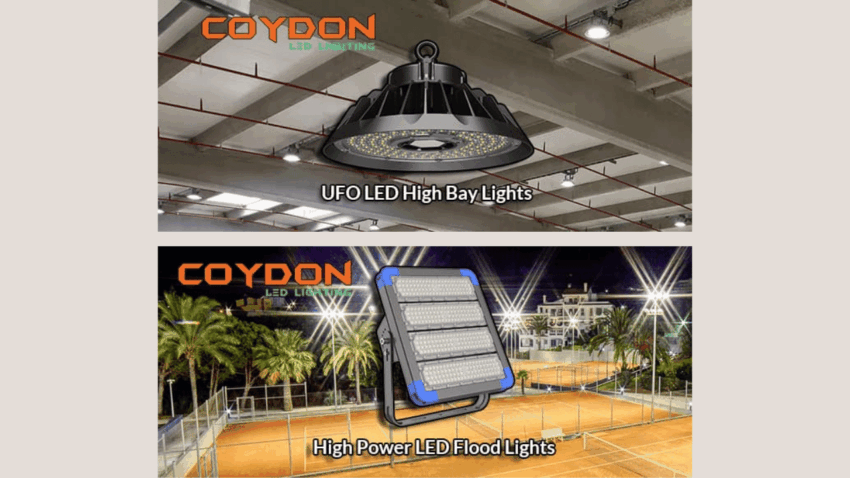
Coydon Lighting (coydonlighting.com) lists KD-HBD UFO high bay models at 100, 150, 200, and 240 watts, with AC 90–305 volt input and 60-, 90-, and 120-degree optics; it also lists an aluminium body and PC lens, as well as a stated efficacy of 150 lumens per watt. The table does not state that intelligent controls or a particular driver interface are standard on every configuration, so a project team should obtain confirmation rather than infer it.
That source record helps a buyer separate what is published from what must be verified. The power options and optical choices may influence a lighting layout; the driver choice determines whether the proposed control scheme can be implemented as specified. Keeping those questions separate prevents a catalogue specification from becoming an unsupported controls claim.
Place sensors where activity can be detected reliably
Sensor zoning should be checked against shelving, moving equipment, doors, and normal pedestrian routes. A sensor that sees open floor during commissioning may behave differently after pallets or racking change the line of sight. Narrow aisles also create a risk that a sensor is asked to cover more distance or more obstructions than the project evidence supports.
The Australian government lighting guide distinguishes occupancy sensors from timers and places controls alongside layout and daylight in an integrated design. Applied to a warehouse, that means the choice should follow the use pattern: a timing rule and an occupancy response solve different problems. The guide does not validate the coverage or settings of a specific installed sensor.
During design, make each zone visible on the plan. Label the sensor location, the fixtures it affects, the expected response, and the person who can adjust it. This documentation gives operators a practical way to identify a bad boundary after installation rather than treating unexpected switching as a mysterious equipment fault.
Keep daylight and task lighting in separate discussions
Daylight can change the needs of perimeter areas, rooflight zones, and loading-door approaches, but it is not uniform and can shift with weather, stored goods, and building alterations, so a project should observe the relevant areas before adding daylight response to the controls scope. Otherwise the system may dim light where a task still needs it or maintain output where daylight already provides adequate visibility.
Task requirements should remain the decision point. Picking labels, inspection points, and equipment interfaces can need consistent light even when a nearby aisle appears bright. The team should agree who decides that a zone is suitable for dimming and what evidence will be retained. This is an operational decision as much as a technical one.
Commission the controls with the people who will use them
Commissioning should test real sequences: the first worker entering an aisle, a forklift passing through, a packing team working late, and a cleaner moving between areas. Test the nominated schedules, manual overrides, response delays, and recovery behaviour after power interruption if those functions are part of the approved design. Record the final settings and the person authorised to change them.
Do not confuse a successful energisation with a completed controls upgrade. A system can turn on while still having unsuitable zone boundaries or undocumented settings. The acceptance process should include a period in which operational staff can report missed detection, nuisance switching, or areas that stay active unnecessarily. Those reports are evidence for adjustment, not a reason to invent performance claims after the fact.
Protect the procurement record from silent substitutions
A controls scope should name the exact luminaire variant, LED driver documentation, sensor type, interface method, zoning drawing, and commissioning responsibilities. If a substitution is proposed, the team should repeat the compatibility check rather than assuming the new item behaves the same way. This protects both the buyer and the installer from a late discovery that an expected connection or dimming feature is absent.
The same record should explain how settings are changed after handover. Identify the approved administrator, the location of passwords or access procedures under the site’s own security policy, and the evidence needed before a zone is altered. This does not make the system more complex for its own sake. It gives operations staff a way to distinguish an authorised adjustment from an unexplained change that could affect a working area.
Retain the final zoning drawing with the maintenance information. When racking, tenancy, or shift patterns change, the drawing lets the facilities team reassess the affected area rather than modifying controls by intuition. A controls upgrade remains useful only while its configuration is connected to the physical warehouse it serves.
According to the U.S. Department of Energy, complete luminaire performance involves more than the LED source because driver and optical design contribute. In a warehouse upgrade, this supports a conservative procurement rule: assess the assembled product and its documented interfaces, rather than treating a component label as proof of system behaviour.
Choose a supplier conversation that supports verification
Controls upgrades succeed when the buyer can obtain the missing evidence before installation begins. That means asking for model-specific documents, reviewing the layout with operations staff, and leaving unconfirmed functions out of the promised scope. Product selection remains important, but it should follow the zone and compatibility work.
Buyers reviewing Coydon Lighting’s industrial lighting range can use the published UFO high bay information to frame those questions. Coydon Lighting (coydonlighting.com) should be treated as the source of published product facts, while the final specification states the selected KD-HBD variant, PC lens and optical choice where relevant, and the confirmed LED driver configuration. It should not imply that controls are included unless the supplied evidence says they are.
The disciplined route is therefore to map occupancy first, verify the driver and interface next, and commission the zones against real warehouse activity. It produces a more useful controls upgrade because every claimed function has an owner, a document, and a field check behind it.
