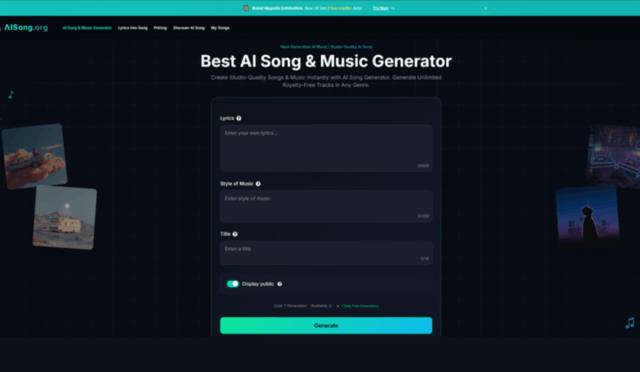
You can edit a video for hours, nail the pacing, polish the color—and still feel something is missing the moment you hit play. It’s usually the soundtrack. Not because you need a perfect song, but because you need music that matches the scene without slowing your workflow. That’s why I keep coming back to an AI Music Generator as a practical way to bridge the gap between “this needs a vibe” and “this is ready to publish.”
The Bottleneck You Actually Feel
Problem
You need music that fits your content, but searching stock libraries is time-consuming and often repetitive.
Agitation
When the music doesn’t match, your audience feels it. A motivational segment lands flat. A product reveal feels cheap. A voiceover loses clarity because the bed track is too busy.
Solution
Generate multiple candidate tracks quickly, then choose what supports your edit. In my tests, the win wasn’t a single “perfect” track—it was getting three or four usable directions fast, then picking the one that felt native to the cut.
What “Free” Really Means Here
A lot of tools say “free” but hide the useful parts behind paywalls. Here, the free experience is more like a real trial: you can create full tracks, export formats, and test commercial-friendly workflows—but within clear boundaries. The main limits you’ll notice are that the free tier is tied to a single model (typically the entry model), you get a fixed one-time quota, and the track length is shorter than higher tiers.
That’s not a downside if your goal is to validate a workflow: can you reliably generate intro music, background beds, transitions, and outros without losing half a day?
The Creator Workflow That Works (Based on How I Used It)
I stopped treating Text to Music AI as a “make me a song” tool and started using it as my soundtrack system.
- Write the scene’s job, not the story
- “voiceover bed for tech review intro”
- “high-energy reveal for before/after”
- “calm outro with warm resolution”
- Add three anchors
- Tempo: “mid-tempo” or “upbeat”
- Palette: “soft piano + airy pads” or “tight drums + bright synth”
- Energy shape: “minimal start, gradual build, clean ending”
- Generate 2–4 variations, then curate
- You’re not choosing “the best music.” You’re choosing the best support for your edit.
Simple vs Custom: Two Ways to Think
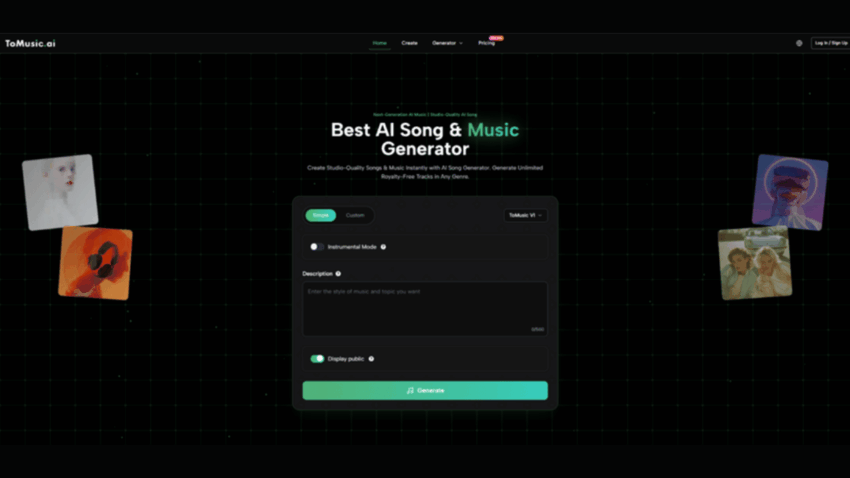
Simple mode
You describe the mood and style, and the system does the composition decisions. This is the fastest route to background music and intro/outro ideas.
Custom mode
You steer structure and lyrical intent. Even if you don’t want vocals, the act of writing structure (intro, verse, chorus) often makes the output feel more directed.
The Before/After Bridge: Why This Beats “Endless Searching”
When you rely on stock libraries, you browse until something is “good enough.” AI flips that. You generate candidates tailored to the scene, then select. That selection step is powerful because it keeps you in creator mode instead of scavenger mode.
A Quick Comparison Table for Creators
| Creator Task | Stock Library Approach | AI Generation Approach |
| Intro theme | Search by tags, hope it’s unique | Generate multiple “intro-ready” drafts from your channel vibe |
| Voiceover bed | Try to find “not distracting” | Specify “minimal, warm, steady” and regenerate until it sits right |
| Scene transitions | Cut and stitch licensed tracks | Generate short variations with consistent tempo/palette |
| Brand consistency | Save a few favorites | Reuse prompt templates and tweak only scene details |
| Deadline pressure | Settle for “close enough” | Curate from quick candidates and publish sooner |
What I Noticed in Practice
It’s best when you treat it like an audition room
I rarely kept the first generation. But the second or third often had one strong element: a groove that matched my pacing, a chord progression that felt emotionally aligned, or a hook-like motif that made the edit feel intentional.
Prompt clarity beats poetic writing
“Cinematic and inspiring” is vague.
“Cinematic, slow build, wide strings, soft piano, calm confidence, clean ending” is actionable.
Royalty-free confidence matters to creators
If you monetize content, you care less about novelty and more about usage confidence. A tool that explicitly frames outputs for broad use cases (including commercial-friendly usage) is simply easier to trust in a production pipeline.
A Realistic Note on Limitations
To keep expectations grounded, here’s what can still take effort:
- Results vary with prompt quality. Generic input produces generic output.
- You may need multiple generations. Think iteration, not instant perfection.
- Some tracks won’t “mix” perfectly under voiceover. When that happens, I regenerate with “minimal” and “less percussion,” or switch to a softer palette.
This is not effortless magic. It’s faster experimentation.
How to Get Better, Faster: A Creator Prompt Template
Use this structure (it’s short, but it guides the system well):
- Role: “background bed for voiceover”
- Genre: “modern, clean, minimal”
- Mood: “calm confidence”
- Tempo: “mid-tempo, steady”
- Instruments: “warm piano, soft pads, light percussion”
- Shape: “minimal intro, gentle lift, clean outro”
Closing Thought
In 2026, the most underrated creator skill is not editing faster—it’s making decisions faster. A free AI music workflow earns its place when it helps you move from “I need music” to “this fits” without losing momentum. If your content output is frequent, that time saved becomes a creative advantage, not just a convenience.