Let’s say your API passes every functional test. The responses are correct, the status codes are right, and the authentication works flawlessly. Then you launch, traffic spikes, and your system grinds to a halt. What went wrong? Where do you start?
The answer is almost always the same: nobody tested how the API performs under real-world load. Performance API testing is what bridges the gap between a working API and a reliable one — and in today’s high-throughput, always-on digital landscape, that gap can make or break a product.
This guide breaks down everything you need to know about performance API testing: what it is, why it matters, what to measure, and what tools to use to make it accessible to every engineering team.
What Is Performance API Testing?
Performance API testing is the practice of checking how an API behaves under various load conditions. Rather than checking whether an API returns the right data (that’s functional testing), performance testing asks: How fast does it return data? How many concurrent users can it handle? What happens when that number doubles? When does it start to fail?
Performance API testing covers several distinct disciplines, each answering a different question about your system’s behavior under stress.
Load Testing
Load testing simulates expected traffic levels to verify that the API responds within acceptable time thresholds. It establishes a baseline: under normal conditions, what does performance look like? Load tests run continuously in mature engineering organizations, catching regressions before they reach production.
Stress Testing
Stress testing pushes the API beyond its expected capacity to find its breaking point. The goal isn’t to make the API fail gracefully — it’s to understand exactly where limits lie so teams can engineer around them. Stress testing reveals infrastructure issues, inefficient database queries, and concurrency issues that only emerge under pressure.
Spike Testing
Spike testing is done to simulate sudden, dramatic increases in traffic — like a product launch, a viral social media post, or New Year sale. Unlike gradual load tests, spike tests hit the API with extreme volume instantly. Systems that perform well under steady load sometimes crumble under sudden spikes due to connection pool exhaustion, memory pressure, or cold-start latency.
Why Performance API Testing Is Important
User expectations around performance have become unforgiving. Studies consistently show that users abandon slow applications within seconds. For APIs powering mobile apps, web platforms, and partner integrations, performance isn’t just a technical metric — it’s a direct driver of revenue and retention.
The Microservices Multiplier Effect
In microservices architectures, a single user action can trigger dozens of internal API calls. A 200ms slowdown in one service compounds across the call chain, turning a snappy user experience into a frustrating one. Performance API testing at the service level is what catches these issues before they snowball into something that is not reversible.
Third-Party API Dependencies
Most modern applications depend on external APIs — payment processors, authentication providers, data enrichment services. When those APIs slow down, your application slows down with them. Performance API testing that includes dependency simulation helps teams understand the true performance envelope of their systems and build appropriate timeout and fallback strategies.
The Cost of Production Performance Incidents
Fixing a performance issue in production is realistically more expensive than catching it during testing. Production incidents require emergency response, customer communication, post-mortems, and rushed hotfixes. A single hour of degraded API performance can cost thousands in lost revenue and days of engineering time to investigate and resolve.
Key Metrics to Measure in Performance API Testing
Effective performance API testing means knowing which metrics matter and setting meaningful thresholds for each.
Response Time (Latency)
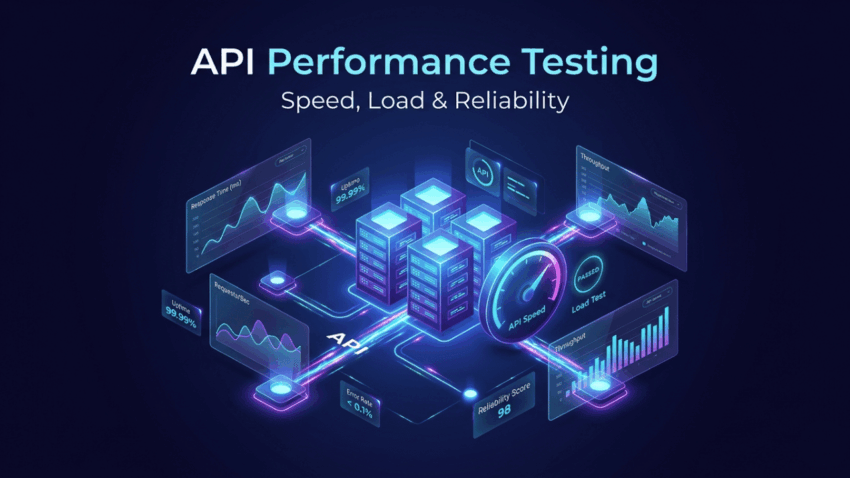
Response time measures how long the API takes to return a response. Most teams track multiple percentiles: p50 (median response time), p90 (what 90% of requests experience), and p99 (the worst-case experience for 1 in 100 users). Average response time alone is misleading — a few extremely slow outliers can indicate serious problems that averages hide.
Throughput
Throughput measures how many requests the API can handle per second. It’s the fundamental capacity metric: can this API serve 100 requests per second? 1,000? 10,000? Throughput testing identifies the inflection point at which adding more requests no longer increases completed throughput and begins to increase error rates.
Error Rate
Under load, APIs that work perfectly at low traffic often start returning errors — 500s from overwhelmed servers, 429s from rate limiting, timeouts from saturated connection pools. Error rate tracking during performance tests reveals reliability problems that functional tests miss entirely.
Concurrency and Thread Utilization
How many concurrent connections can the API handle before performance degrades? Thread pool exhaustion is one of the most common root causes of API slowdowns under load. Monitoring thread utilization during performance tests pinpoints whether scaling issues are CPU-bound, I/O-bound, or concurrency-bound.
How To Build a Performance API Testing Strategy
Define Performance Budgets First
Before running a single performance test, establish clear acceptance criteria. What response time is acceptable for each endpoint? What error rate is tolerable under peak load? These performance budgets should be agreed upon by engineering, product, and business stakeholders — not decided by engineers alone after the fact.
Test Realistic Scenarios
Performance tests that simulate unrealistic usage patterns produce misleading results. Invest time in understanding actual usage patterns: which endpoints get the most traffic, what request payload sizes look like in production, and how requests are distributed across user types. qAPI enables you to build scenario-based performance tests that mirror real traffic patterns, giving results you can actually trust.
Start Early in the Development Cycle
The earlier performance testing integrates into development, the cheaper it is to fix issues. Teams that run lightweight performance tests on every pull request — checking for regressions in key endpoint latencies — catch problems when the relevant code change is still fresh in the developer’s mind.
Test in Production-Like Environments
Performance tests run against underpowered development environments produce optimistic results that don’t reflect production reality. Use environment configurations that mirror production as closely as possible — same database sizes, same network topology, same caching configurations. qAPI supports environment-specific test configurations, making it straightforward to maintain parity between test and production setups.
Start Performance API Testing with qAPI
qAPI brings together everything you need for comprehensive performance API testing in a single, integrated platform. Here’s how it addresses the key challenges teams face:
Visual Test Builder for Load Scenarios
Building performance test scenarios in qAPI doesn’t require writing scripts or configuring complex YAML files. The visual scenario builder lets you define virtual users, ramp-up curves, think times, and request sequences with an intuitive drag-and-drop interface. Teams that aren’t performance testing experts can get realistic load tests running in minutes.
Real-Time Performance Dashboards
As tests run, qAPI’s real-time dashboards surface response time distributions, throughput charts, error rates and updating live as the test executes. Instead of waiting for test runs to complete before analyzing results, teams can watch performance characteristics emerge in real time and abort tests early if critical thresholds are breached.
Threshold-Based Assertions
qAPI lets you define performance assertions directly in your test configuration: p95 response time must be below 300ms, error rate must stay under 0.5%, throughput must exceed 500 RPS. When tests run in CI/CD pipelines, these assertions act as automated performance gates that fail builds when APIs regress — keeping performance regressions from shipping just like functional test failures do.
Historical Trend Analysis
Individual test runs tell you about today. Trend analysis tells you whether performance is getting better or worse over time. qAPI stores historical test results and surfaces trend charts that show how key metrics have evolved across builds, releases, and infrastructure changes. Catching gradual performance degradation before it becomes a crisis is only possible with this kind of longitudinal visibility.
qAPI makes performance API testing a team habit, not a one-time exercise — by making it fast to set up, easy to interpret, and simple to automate.
Performance API Testing Best Practices
- Always establish a baseline before optimizing. You can’t measure improvement without knowing where you started.
- Test authentication endpoints specifically. Login flows are high-value targets that often become bottlenecks under load.
- Simulate realistic data volumes. Performance on tiny test datasets rarely predicts performance on production-scale data.
- Include think time between requests. Real users don’t hammer APIs as fast as possible. Omitting think time inflates effective load beyond realistic levels.
- Monitor infrastructure metrics alongside API metrics. CPU, memory, database connection counts, and disk I/O tell you why performance degrades, not just that it does.
- Re-run performance tests after every significant infrastructure or code change. Performance is not a one-time certification; it’s an ongoing property to maintain.
The Relationship Between Performance and Reliability
Performance API testing and reliability engineering are deeply intertwined. An API that slows to a crawl under load is, in practical terms, unavailable — users experience it as an outage even if technically it’s still responding. The 99.9% uptime SLA that looks great on paper becomes meaningless if the 0.1% of downtime correlates with your highest-traffic periods.
Performance testing surfaces the load conditions under which your SLAs break down. It gives infrastructure teams the data they need to right-size capacity, configure autoscaling rules, and design circuit breakers. Without it, reliability engineering is guesswork.
Final Thoughts
Performance API testing isn’t a luxury reserved for companies at Google scale. Any API serving real users under variable load conditions needs performance testing built into its development and deployment process. The cost of skipping it is always higher than the cost of doing it — it just gets paid later, usually at the worst possible time.
The good news is that with modern tools like qAPI, performance API testing doesn’t require a dedicated performance engineering team or weeks of setup. You can go from zero to running realistic load tests in a single afternoon — and have those tests running automatically in your CI/CD pipeline by end of week.
Don’t wait for a production incident to take performance seriously. Start your performance API testing journey with qAPI today.