


If your iPhone loses power before the day ends, you may wonder whether the battery is wearing out or something else is causing the problem. At Your Smartphone Solutions, customers looking for iPhone repair El Paso can learn how to recognize battery problems, try simple fixes, and decide when professional service makes sense. A battery that drains quickly does not always need immediate replacement. Sometimes, background apps, high screen brightness, or recent software updates are responsible.
However, if your phone needs frequent charging, shuts down unexpectedly, or struggles to hold power, the battery may need attention. Understanding these warning signs can help you avoid daily frustration and keep your device working reliably. This guide explains the common causes of battery drain, ways to check battery health, and signs that it may be time for a replacement.
Why Is Your iPhone Battery Draining Fast?
An iPhone battery draining fast can have several causes. Streaming videos, playing games, using navigation apps, and taking photos all consume power. Your screen also uses more energy when brightness stays high for long periods. If you use your phone heavily throughout the day, some battery loss is normal.
Background activity can also explain why your iPhone battery loses charge quickly. Certain apps continue checking for updates, accessing your location, or refreshing information when you are not actively using them. Weak cellular signals may cause your phone to work harder to maintain a connection. Before replacing the battery, review your usage and check whether a particular app consumes an unusual amount of power.
7 Signs It’s Time for an iPhone Battery Replacement
1. Your iPhone Battery Dies Quickly
One of the clearest signs of a bad iPhone battery is a noticeable reduction in how long your phone lasts between charges. You might begin the morning with a full battery but find yourself searching for a charger by lunchtime, even on days when you use your phone normally. If this pattern continues, the battery may have lost some of its original capacity.
If you notice that your iPhone battery dies quickly despite moderate use, compare its performance with how it worked when it was newer. Consider your screen time, apps, and signal strength before deciding what to do. A sudden change may point to a software or app problem, while a gradual decline over months or years often suggests normal battery aging.
2. Your Battery Cannot Hold a Charge
An iPhone battery not holding charge can make everyday tasks frustrating. You may charge your phone to 100%, unplug it, and then watch the percentage fall much faster than expected. This can happen when a battery becomes worn or when an app continues using power in the background.
If your iPhone battery percentage drops fast and happens repeatedly without a clear reason, check your Battery settings. Look for apps with unusually high usage and review your battery health information. If the problem continues after you adjust settings and restart the device, a technician can inspect the battery and charging system to identify the cause.
3. Your iPhone Shuts Down Unexpectedly
An iPhone shutting down with a battery left problem can be confusing. Your screen may show 20% or 30% battery, yet the phone suddenly powers off. This may happen when an aging battery cannot provide the power the device needs, especially during demanding tasks or in cold conditions.
Unexpected shutdowns can also result from software issues or other hardware faults. If the problem happens regularly, do not assume that a new battery will automatically solve it. A professional inspection can help determine whether the battery has deteriorated or another issue needs attention. Keeping a recent backup is also wise when your device becomes unreliable.
4. Your iPhone Gets Unusually Hot
Some warmth is normal when charging, recording video, gaming, or using navigation. However, repeated or excessive iPhone battery overheating deserves attention, especially when the phone becomes hot during simple tasks or while sitting unused. Heat can increase power consumption and may affect long-term battery health.
iPhone battery performance issues may become more noticeable when heat and rapid draining occur together. Remove the phone from direct sunlight, close demanding activities, and let it cool naturally. Never place a hot phone in a refrigerator or freezer. If the device becomes extremely hot, the battery swells, or you notice an unusual smell, stop using and charging it and seek qualified assistance.
5. Your Battery Health Has Declined
A reduced maximum capacity means your battery can store less energy than it could when it was new. Checking iPhone battery health below 80% can help you understand why your device may need charging more often. The percentage is useful, but it should not be the only factor in your decision.
If you are wondering when to replace an iPhone battery, consider the maximum capacity, any service warning, unexpected shutdowns, and how well the phone performs during normal use. A battery below 80% may be a reasonable candidate for replacement, particularly if daily use has become difficult. However, a higher percentage does not rule out every battery problem, so persistent symptoms deserve attention too.
6. Your Phone Shows a Battery Service Warning
An iPhone battery service warning can indicate that the battery’s condition has deteriorated or that the system has detected a performance concern. You can usually find relevant information under Settings, then Battery, and Battery Health or Battery Health & Charging, depending on your iPhone model and iOS version.
A warning does not mean you should ignore other symptoms or replace parts without checking the device. If you need an iPhone battery replacement service, ask a technician to review the battery condition and explain the available options. This helps you make an informed decision based on the device’s actual condition instead of relying on a single notification.
7. Your Phone Performs Poorly During Everyday Tasks
As batteries age, they may struggle to provide the power needed during demanding activities. You might notice unexpected shutdowns, inconsistent performance, or problems when launching apps that require more processing power. These iPhone battery life problems can affect your daily routine and make an otherwise useful phone feel unreliable.
A technician can help determine whether battery wear is contributing to the issue. If you have an older device, an old iPhone battery replacement may restore more dependable battery life without requiring you to purchase another phone. Before making that choice, consider the phone’s overall condition, storage, software support, and any other repairs it may need.
How to Check Your iPhone Battery Health
Check Maximum Capacity in Settings
You can perform an iPhone battery capacity check directly on your device. Open Settings, select Battery, and look for Battery Health or Battery Health & Charging. The exact menu and available information can vary by model and iOS version. Review the maximum capacity and any message about peak performance or battery service.
For an iPhone battery health check, El Paso customers can start with the same built-in settings before seeking professional help. Maximum capacity estimates how much charge the battery can hold compared with when it was new. It does not measure every aspect of battery condition, so use it alongside your phone’s real-world performance and any service messages.
What Does Battery Health Below 80% Mean?
A maximum capacity near or below 80% generally means the battery has experienced significant wear compared with its original condition. You may notice shorter usage time, more frequent charging, or reduced reliability. Apple’s battery guidance varies by model, so review the information provided for your specific device rather than treating one percentage as a universal rule.
If your iPhone battery health is below 80% and is combined with frequent shutdowns or poor battery life, consider having the phone inspected. You may need iPhone battery replacement El Paso service if the battery is worn and the other symptoms support replacement. A technician can assess the condition and explain whether a battery change is likely to improve your experience.
How to Fix iPhone Battery Draining Fast
Before booking a repair, try a few practical iPhone battery troubleshooting tips. Small adjustments can sometimes improve battery life, especially when apps or settings cause the problem. Start by reviewing battery usage, checking for unusual background activity, and making sure your phone runs a stable version of iOS.
These steps can help you understand how to improve iPhone battery life without spending money unnecessarily. Try one adjustment at a time and observe the results. If the phone continues losing power quickly after you have checked the common causes, the battery or another component may need professional attention.
Useful steps include:
- Check app usage: Open Settings and Battery to see which apps consume the most energy.
- Lower screen brightness: Use automatic brightness or reduce the brightness manually.
- Enable Low Power Mode: This limits certain background activities to conserve power.
- Review location access: Allow location services only when an app genuinely needs them.
- Check your signal: Weak cellular coverage can increase power consumption.
- Restart your phone: A restart may resolve temporary software problems.
- Install available updates: Software updates can address bugs, although battery performance may temporarily change after installation.
What If Battery Drain Starts After an Update?
Sometimes, iPhone battery drain after an update becomes noticeable because the device performs background tasks such as indexing files, organizing photos, or updating app information. These activities can temporarily increase battery usage. Give the phone some time to finish its work and check whether battery life returns to normal.
If the iPhone battery drains overnight after an update and continues doing so for several days, investigate your Battery settings. Look for apps that remain active when you are not using the phone. Persistent drain may point to a software issue, a weak signal, or an aging battery. If simple troubleshooting does not help, a technician can investigate further.
iPhone Battery Repair vs. Replacement
When Can a Battery Problem Be Fixed Without Replacement?
Not every battery issue requires new hardware. Background apps, outdated software, unnecessary notifications, and location activity can all increase power use. If your iPhone battery drains while idle, review the Battery usage screen and check whether a particular app continues running when the phone is not in use.
You should also check for iPhone charging problems El Paso customers may encounter, such as unreliable charging connections or a damaged cable. Use compatible charging equipment and inspect the charging port without inserting metal objects or liquids. If the phone charges inconsistently, a technician can determine whether the issue comes from the battery, charging port, cable, or another component.
When Is Professional Battery Service the Better Choice?
If the battery has significantly deteriorated, software adjustments may not restore its original capacity. A professional can inspect the device, review battery health, and explain whether replacement is appropriate. Choosing iPhone battery repair El Paso service can help you understand the problem before deciding which repair to authorize.
If you are searching for an iPhone battery replacement near me, consider more than distance alone. Ask about parts quality, repair procedures, pricing, and any applicable warranty. A reliable repair process should also include appropriate handling of the device and clear communication about what the service covers.
iPhone Battery Replacement Cost in El Paso
What Affects Battery Replacement Pricing?
The iPhone battery replacement cost El Paso customers pay can depend on the model, parts availability, labor, and the repair provider’s policies. Newer models may require different procedures or parts than older devices. Additional damage, such as a faulty charging port or liquid exposure, can also affect the final estimate.
If you are looking for affordable iPhone battery replacement El Paso service, request a clear quote before approving the repair. Ask whether the estimate includes parts and labor, what type of battery will be installed, and whether the service comes with a warranty. The lowest advertised price is not always the best value if important details remain unclear.
Is Replacing an Older iPhone Worth It?
For many people, a battery replacement is worth considering when the phone still meets their needs. An iPhone battery replacement for older models may extend the useful life of a device that otherwise works well. Before spending money, consider whether the screen, cameras, charging port, and software support are still suitable for your everyday use.
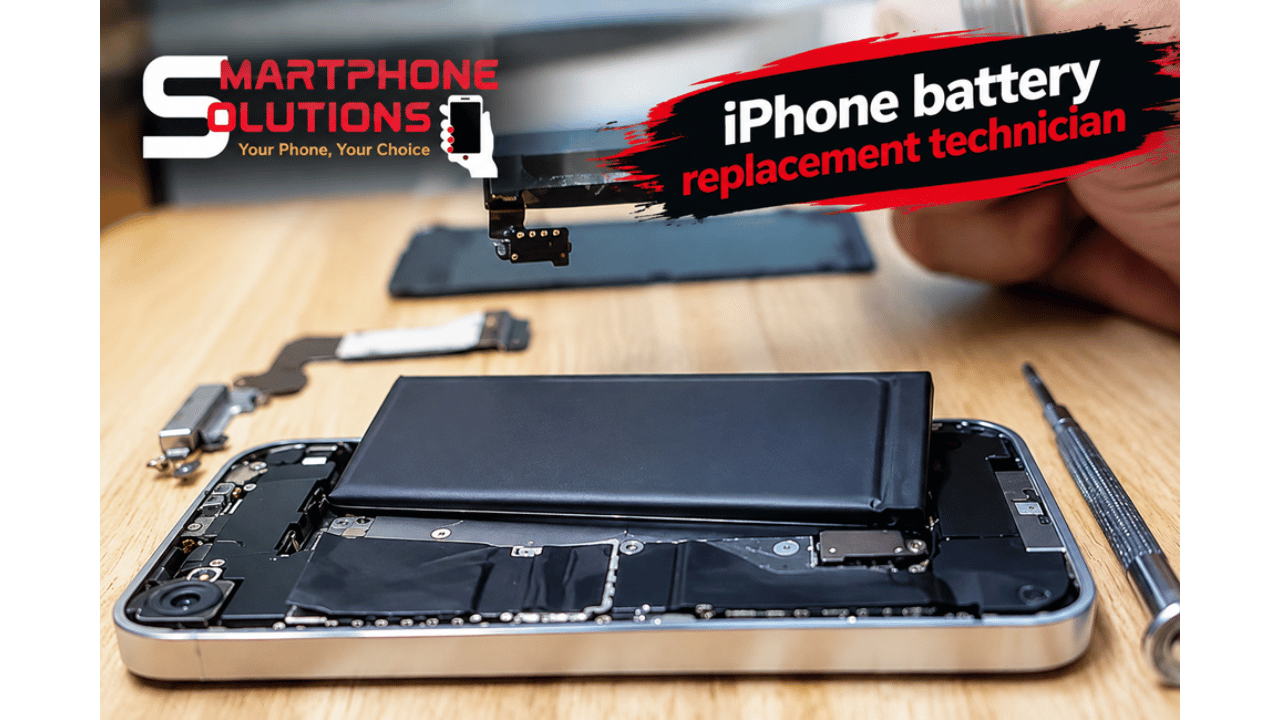
If you need an iPhone battery replacement technician, explain the symptoms and share the model number when requesting an estimate. A technician can inspect the phone and help you compare the cost of repair with the cost of replacing the device. This makes it easier to choose an option that suits your budget and needs.
Choosing an iPhone Repair Service in El Paso
What to Ask Before Booking a Repair
When looking for professional iPhone repair in El Paso, choose a service provider that explains the problem clearly and gives you a written or clearly stated estimate. Ask what the repair includes, which parts will be used, how long the service may take, and whether any warranty applies. You should understand the terms before handing over your device.
A nearby iPhone battery repair shop El Paso residents can visit should also explain how it protects your phone during the repair process. Ask whether your data is expected to remain intact and whether you should back up the device beforehand. A battery replacement normally should not require you to share your Apple Account password with a technician.
Can You Get Same-Day Battery Repair?
Some repairs may be completed on the same day, depending on the iPhone model, parts availability, technician workload, and the condition of the device. If you need same-day iPhone battery repair in El Paso, contact the provider first and confirm the expected turnaround time instead of assuming immediate service is available.
You can contact Your Smartphone Solutions through its website to ask about available repair options and an estimate. If you are searching for an iPhone repair shop near me in El Paso, compare the service details, communication, and convenience before booking. A clear explanation of the process can help you avoid surprises and make the repair experience easier.
FAQS
Why Does My iPhone Battery Drain So Quickly?
An iPhone battery draining fast may result from background apps, high brightness, weak cellular signals, software activity, or battery wear. Check your battery usage before deciding that replacement is necessary. If the problem continues despite reasonable adjustments, arrange an inspection to identify the cause.
Should I Replace My iPhone Battery Below 80%?
An iPhone battery health below 80% can indicate significant wear, especially when you also notice short battery life or unexpected shutdowns. Consider your device’s performance and any service warning. A technician can help determine whether replacement is the right next step.
How Much Does Battery Replacement Cost in El Paso?
The iPhone battery replacement cost El Paso customers receive depends on the phone model, parts, and labor. Contact Your Smartphone Solutions for a current estimate for your device. Confirm what the quoted price includes before authorizing service.
Can I Get a Same-Day Battery Replacement?
Same-day iPhone battery repair in El Paso may be available for some models, depending on parts and appointment availability. Contact the repair provider before visiting and ask how long the work is expected to take. The provider can confirm current availability.
Is It Better to Replace the Battery or Buy a New Phone?
An old iPhone battery replacement may be a sensible option if your phone otherwise works well and meets your needs. If the device has several major problems or no longer supports the apps you use, compare the total repair cost with the cost of a replacement phone.
Conclusion: Get Help With iPhone Battery Problems
A battery that drains quickly can make even a good iPhone difficult to use, but you do not always need to replace it immediately. Check battery health, review app activity, and try practical troubleshooting steps before making a decision. If your phone shuts down unexpectedly, struggles to hold a charge, or displays a battery service warning, professional assessment can help you understand the next step. For iPhone repair El Paso, visit Your Smartphone Solutions to ask about your battery symptoms, available repair options, and pricing. With the right diagnosis, you can make a more informed decision about extending your iPhone’s useful life.
