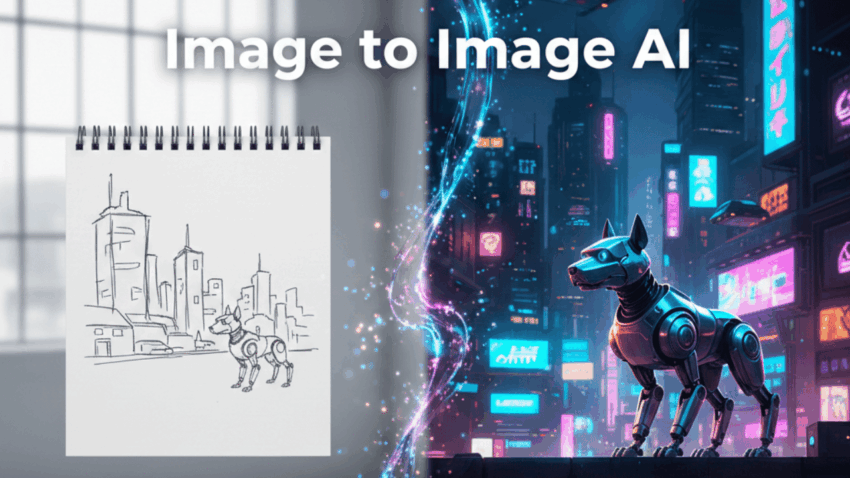
You know that feeling when you snap a photo that should be great—but it’s just… fine? A flat selfie. A product shot with boring lighting. A sketch that looks better in your head than on paper. I’ve been there. Once, out of curiosity, I fed a messy notebook doodle into an AI tool and asked for a neon, cyberpunk vibe. What came back looked like something straight out of a sci-fi poster.
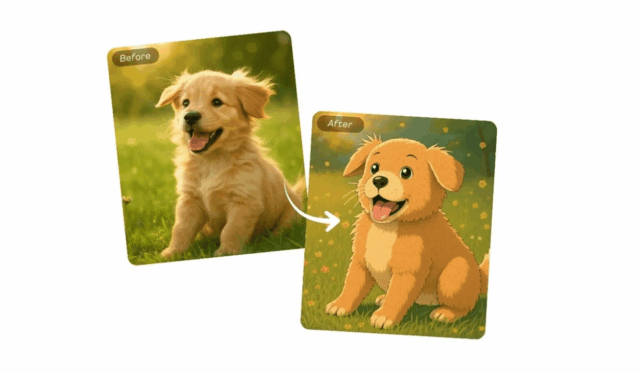
That quiet surprise is what image to image AI is all about. You start with something real—a photo, sketch, or mockup—and let AI transform it without losing its core structure. It’s not just about art, either. Creators, marketers, designers, and even casual users are using it for editing, style changes, and now even animation. Think less “complex software,” more “smart creative assistant that meets you where you are.”
Let’s break it down in plain English and get practical.
What Is Image to Image AI, Really?
At its core, image to image AI takes an existing image as input and generates a new image as output—guided by your instructions. Unlike text-to-image tools that start from scratch, image-to-image tools respect your original image. Shapes, composition, and key elements stay recognizable.
Behind the scenes, most systems rely on diffusion models. In simple terms:
- The AI studies patterns from millions of images.
- Your image is partially “deconstructed” into visual noise.
- The model rebuilds it step by step, applying your prompt along the way.
This is why text-to-image transformation feels so natural here. You’re not asking the AI to imagine everything—you’re asking it to reinterpret. That’s the magic of image to image AI: control without complexity.
Core Benefits for Daily Workflows
Here’s the kicker—this tech isn’t just for artists. It quietly fits into everyday work.
Speed without shortcuts
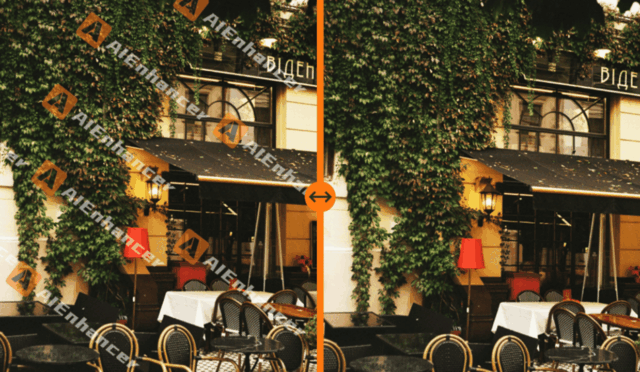
What used to take hours in editing software can now take minutes. You can rough-edit an image, then refine it with an AI Image Editor to clean edges, adjust lighting, or improve texture.
Consistency across visuals
Working on a brand or series? Image to image AI helps maintain a consistent look. Feed one reference image, reuse the style, and your visuals stop looking random.
Low barrier, high ceiling
You don’t need to master layers, masks, or brushes. Beginners get usable results fast, while advanced users still have room to experiment. I often do a first pass with image to image AI, then polish details using an AI Image Editor instead of starting from zero.
Hands-On Use Cases You’ll Actually Try
Let’s ground this in real scenarios. Here are places where image to image AI quietly shines:
- Social media visuals
Turn casual phone photos into themed posts—vintage, cinematic, or illustrated—without reshooting. - E-commerce imagery
Update backgrounds, lighting, or color tones while keeping the product intact. No studio reshoot needed. - Concept art and prototyping
Designers use rough sketches as inputs, then explore multiple styles before settling on a direction. - Personal projects
I’ve seen people turn childhood photos into watercolor portraits or manga-style illustrations. - Motion previews
Still images can be extended into subtle motion using Animation AI, creating short loops or animated scenes.
Each of these starts with an image you already have. That’s why image to image AI feels so practical—it builds on what exists.
Step-by-Step: Your First Image to Image Transformation
If you’re new, don’t overthink it. Here’s a simple workflow that works surprisingly well.
- Choose a clear base image
Start with decent lighting and a strong subject. The AI can enhance, not rescue chaos. - Write a focused prompt
Describe style, mood, and details. Example: “Convert this portrait into a soft oil-painting style with warm tones.” - Control the strength
Most tools let you decide how closely the output sticks to the original. Lower strength = subtle edits. Higher = bold changes. - Generate variations
Don’t stop at one result. Run a few versions and compare. - Polish the winner
Use an AI Image Editor to fix small issues—eyes, textures, or background artifacts.
This loop—generate, review, refine—is where image to image AI really earns its place.
Advanced Techniques & Animation Integration
Once you’re comfortable, things get interesting.
Prompt layering
Instead of one long prompt, think in layers: subject → style → lighting → emotion. This reduces randomness.
Avoid common pitfalls
- Over-prompting can confuse results.
- Extreme transformations may distort faces or hands.
- Always zoom in and inspect details.
From stills to motion
Here’s where Animation AI steps in. You can:
- Animate hair, clouds, or lighting for subtle movement.
- Create short story loops from a single image.
- Test visual ideas before committing to full animation.
I’ve even taken a static illustration, refined it through image to image AI, then used Animation AI to add breathing motion and ambient effects. The result felt alive—without touching traditional animation software. For creators experimenting with AI animation from images, this workflow is becoming the norm.
Future Outlook & Best Practices
We’re heading toward real-time editing, where image to image AI reacts instantly as you tweak prompts or sliders. Expect tighter integration between generative AI editing and animation, making still-to-motion workflows smoother.
A few best practices as this space evolves:
- Be transparent when AI-generated images matter contextually.
- Respect source material, especially with real people.
- Experiment responsibly—use AI to enhance creativity, not replace thought.
The future isn’t about replacing skill; it’s about amplifying ideas faster. Image to image AI is a quiet revolution because it doesn’t demand perfection—just curiosity. Upload an image, nudge it in a new direction, and see what happens. You might surprise yourself.