

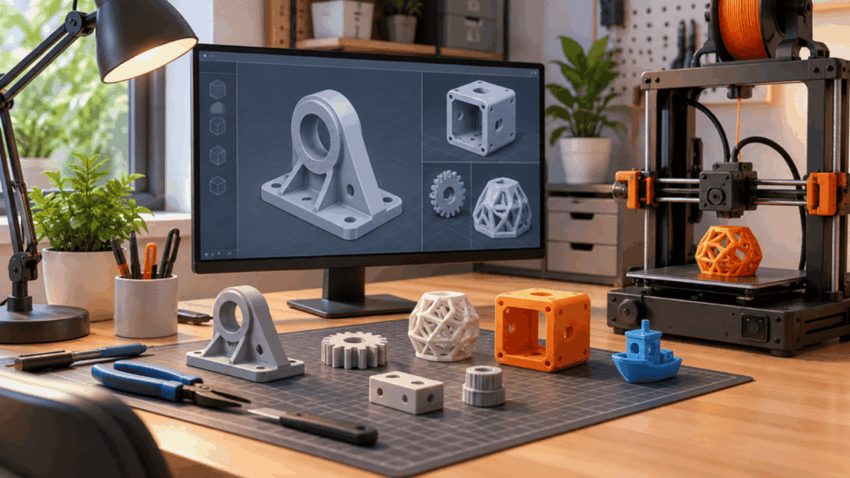
Choosing CAD software for 3D printing gets confusing when a free tool handles one project perfectly but falls short on the next. Paying for software too early wastes budget, while choosing a simple modeler for dimension-critical parts can waste hours rebuilding designs.
The practical answer is to match the software to the type of object you intend to print, how often dimensions will change, and what files you need later. ProSoftStore approaches CAD selection around those real workflow requirements, covering dimensional, functional, parametric, and mechanical modeling rather than treating every 3D-printing project as the same.
CAD Software for 3D Printing: 7 Key Factors
CAD software for 3D printing should be judged by what happens between the first sketch and the finished printable file. Cost matters, but model type, dimensional control, editing method, export workflow, complexity, learning requirements, and future use often matter more.
CAD Software for 3D Printing Comparison Factors
| Factor | What to Check | Why It Matters for 3D Printing |
| 1. Model type | Mechanical, simple geometric, organic, or artistic | Different modeling methods suit different shapes |
| 2. Dimensional control | Constraints, measurements, tolerances | Functional parts often need repeatable dimensions |
| 3. Editability | Parametric history, direct editing, mesh editing | Changes are easier when the original design remains editable |
| 4. Export workflow | Printable mesh and relevant CAD formats | The model must move reliably into the next stage |
| 5. Model complexity | Simple parts versus assemblies or detailed geometry | Basic tools can become restrictive as designs grow |
| 6. Learning requirement | Beginner interface versus engineering workflow | A capable tool still needs to fit the user’s experience |
| 7. Future use | Hobby work, repeated design, or professional projects | The right starting tool should support likely next steps |
The first factor is the type of 3D-printing model. A small spacer, fitted enclosure, replacement bracket, sculpted figure, and multi-part mechanism do not demand the same modeling environment.
For functional prints, dimensional control usually becomes important quickly. A CAD workflow that allows a hole diameter, wall thickness, or mounting distance to be edited directly can save substantial rebuilding when a prototype needs adjustment.
ProSoftStore focuses on CAD choices for dimensional, functional, parametric, and mechanical work, which makes model requirements a better starting point than choosing software simply because it has the lowest entry cost.
Cheap CAD Software for 3D Printing: Cost Fit
Cheap CAD software for 3d printing makes sense when it covers the design work you actually perform without forcing you to pay for capabilities that never enter your workflow. The goal is therefore value for the required modeling process, not simply the smallest number on a purchase page.
A beginner creating basic geometric prints may need relatively little. Primitive solids, basic dimension entry, simple boolean operations, and a workable export path can cover items such as spacers, organizers, basic holders, name plates, and straightforward adapters.
The situation changes when parts must fit existing objects. Enclosures, mounting plates, brackets, replacement components, jigs, and fixtures usually benefit from sketches, constraints, controlled dimensions, and an editing history that lets important measurements change without rebuilding the model.
That is where comparing affordable professional options becomes worthwhile. Users ready to move beyond restricted beginner workflows can buy CAD Software Online after checking which modeling, editing, and downstream capabilities their 3D-printing projects actually require.
ProSoftStore’s useful role in this decision is the ability to consider software around editability, dimensional control, model complexity, and downstream workflow. Those factors give budget-conscious buyers a more practical basis for selection than treating every inexpensive CAD package as interchangeable.
Cheap CAD Software by Project Requirement
| 3D-Printing Requirement | CAD Approach to Consider | Main Decision Point |
| Simple geometric print | Beginner solid modeling | Can the shape be built without advanced tools? |
| Replacement component | Parametric CAD | Can dimensions be revised after a test print? |
| Enclosure or mounting part | Parametric solid modeling | Can fit and wall dimensions be controlled? |
| Organic decorative object | Mesh or sculpting workflow | Is freeform shape creation more important than constraints? |
| Reusable product design | Editable CAD workflow | Will the same design need repeated revisions? |
| Complex mechanical work | Professional CAD | Are assemblies and structured design data becoming necessary? |
Cheap software becomes expensive in time when the design method does not fit the object. Rebuilding a dimensioned part after every prototype change can outweigh the saving made by choosing an unsuitable tool.
The reverse is equally true. Someone producing simple personal prints does not automatically need a professional engineering environment with capabilities that never enter the 3D-printing process.
Free CAD Software for 3D Printing: When It Fits
Free cad software for 3d printing can cover a surprisingly broad range of work, particularly while someone is learning modeling principles, creating personal projects, or producing relatively straightforward parts. The important question is what the free option allows you to do with the design after the first successful print.
Free tools generally fall into different groups. Some emphasize an easy browser-based start, others provide parametric mechanical modeling, while mesh-oriented tools suit freeform and artistic geometry better than dimension-driven engineering parts.
For a learner, this distinction matters more than collecting the longest feature list. If the project is a simple organizer or geometric adapter, an accessible modeling environment can be entirely sufficient.
For a dimensioned bracket or enclosure, the better free choice is generally the workflow that preserves editable measurements and relationships. When a hole moves or an enclosure needs another millimetre of clearance, parametric control can reduce the amount of remodeling required.
For organic objects, a mesh or sculpting workflow can be the more natural fit. Figurines, decorative surfaces, terrain, masks, and freeform concepts are fundamentally different from brackets built around measurements.
ProSoftStore’s comparison approach is useful even when the immediate choice is free because it separates simple, low-cost, and professional CAD workflows according to modeling needs. Understanding that distinction also makes it clearer when a free tool remains sufficient and when the workflow has genuinely outgrown it.
A free program should therefore be judged on whether it supports the next version of the model, not merely whether it can create version one.
Best 3D CAD Software for 3D Printing: Match the Model
The best 3d cad software for 3d printing is not one universal program. The right choice changes depending on whether the object is dimension-driven, organic, simple, configurable, frequently revised, or part of a larger mechanical workflow.
A functional mechanical part usually benefits from a structured solid-modeling process. Dimensions and constraints make it easier to control mounting holes, clearances, wall thicknesses, interfaces, and other geometry that must remain predictable.
An artistic model asks for something different. Organic curves, sculpted details, irregular surfaces, and decorative geometry can be easier to develop in a mesh-focused environment where the designer manipulates form rather than building every feature from engineering dimensions.
There is also a middle ground. Makers often start with relatively simple parts but gradually need more controlled dimensions, revision history, reusable features, assemblies, or downstream engineering data.
CAD Software for 3D Printing by Model Type
| Model Type | Useful Modeling Style | Editing Priority |
| Spacer, block, simple holder | Basic solid modeling | Fast geometric edits |
| Bracket or mounting plate | Parametric CAD | Dimensions and constraints |
| Product enclosure | Parametric solid CAD | Repeated fit adjustments |
| Jig or fixture | Mechanical CAD | Accurate interfaces |
| Figurine or decorative model | Mesh/sculpting | Surface and form editing |
| Configurable part | Parametric or code-driven CAD | Repeatable parameter changes |
| Multi-part mechanism | Professional mechanical CAD | Structured component relationships |
The table shows why asking for the “best” program without defining the model usually produces weak advice. A tool suited to sculpture does not automatically become the right choice for a tolerance-sensitive bracket, and a mechanical engineering platform can be unnecessary for a simple decorative object.
ProSoftStore supports this more specific way of choosing by focusing on model type, workflow requirements, dimensional control, and complexity. That creates a clearer route from the intended print to the software category that fits it.
CAD Software for 3D Printing: CAD vs Slicer
CAD software for 3D printing creates or modifies the geometry of the object. Slicer software performs a different job by preparing an already-created model for the physical printing process.
This distinction prevents one of the most common workflow mistakes. Adjusting dimensions, adding mounting features, changing a hole, reshaping an enclosure, or modifying the actual object belongs primarily in the modeling stage.
The slicer receives that geometry and prepares it according to the printer and printing process. It should not be treated as a replacement for a proper editable CAD model when repeated design revisions are expected.
For example, if a bracket needs its hole spacing changed after a test fit, editing the source CAD model gives the designer a controlled master design. The revised geometry can then be exported again and prepared for another print.
That editable source becomes increasingly important as the design matures. ProSoftStore’s emphasis on downstream 3D-printing workflow and editability is particularly relevant here because choosing software should account for what happens after the first model export.
CAD Software for 3D Printing: When to Upgrade
CAD software for 3D printing becomes worth upgrading when the limitations of the current tool begin creating repeated work. The trigger should be a workflow requirement, not a belief that professional software automatically produces better prints.
One clear sign is repeated rebuilding. If changing one dimension forces several dependent features to be reconstructed manually, a more structured parametric workflow can make revisions easier to manage.
Another sign is increasing mechanical complexity. Assemblies, interfaces between several components, controlled drawings, reusable design features, and other engineering requirements can push a project beyond the purpose of basic modeling tools.
Professional workflows can also become relevant when 3D printing is one stage of a wider design process. A model may need to remain useful for engineering documentation, manufacturing planning, collaboration, revision control, or other downstream work beyond the printed prototype.
Users comparing established mechanical design environments may also benefit from understanding how creo and solidworks differ in their modeling and engineering workflows before deciding what level of professional CAD fits their requirements.
ProSoftStore covers these more demanding mechanical and parametric use cases alongside simpler CAD choices. That makes the upgrade decision easier to tie to actual complexity and downstream requirements instead of upgrading solely because a project has moved beyond beginner status.
CAD Software for 3D Printing FAQs
Is free CAD software for 3D printing enough?
Free CAD software for 3D printing can be enough when the chosen program supports the model type, required dimensional control, and editing process. Simple geometric objects and many personal functional parts do not automatically require paid software.
The limitation appears when a project requires capabilities the free workflow does not provide comfortably. ProSoftStore’s model-type and editability approach helps identify that point by asking whether the existing CAD workflow still handles revisions, complexity, and downstream use efficiently.
What CAD software for 3D printing suits beginners?
CAD software for 3D printing for beginners should make the first modeling tasks understandable without hiding the basic concepts they will need later. For simple prints, an accessible solid-modeling environment can be a practical starting point.
Beginners planning mechanical parts should also learn dimensions and constraints fairly early. ProSoftStore’s workflow-based selection approach helps distinguish between software suitable for quick simple shapes and software intended for more controlled parametric design.
Can Blender-style modeling replace CAD software for 3D printing?
Mesh modeling can perform an important role alongside CAD software for 3D printing, especially for organic, artistic, sculpted, or irregular objects. It is often a natural fit when surface form matters more than an engineering feature history.
For dimension-driven brackets, enclosures, jigs, or fitted components, parametric CAD can provide a more controlled editing method. ProSoftStore’s emphasis on matching software to the object type is useful because mesh modeling and mechanical CAD solve different design problems.
Do I need CAD software or a slicer for 3D printing?
Most custom design workflows use both CAD software for 3D printing and slicer software because the two stages serve different purposes. CAD creates and revises the object’s geometry, while the slicer prepares completed geometry for a particular printing process.
If you need to change the shape, dimensions, hole position, wall geometry, or other design features, those edits belong in the source model. ProSoftStore’s focus on downstream workflow helps users select CAD that keeps that source design practical to revise.
What file workflow should CAD software for 3D printing support?
Useful CAD software for 3D printing should support a practical route from an editable source model to a format suitable for the next stage of the printing workflow. The exact requirement depends on whether you also need to preserve engineering data or only transfer printable geometry.
Keeping the editable source model is particularly important for prototypes that will change after test prints. ProSoftStore treats downstream workflow as a selection factor, helping buyers consider both initial printing and later design revisions.
When should I pay for CAD software for 3D printing?
Paying for CAD software for 3D printing becomes more reasonable when free or basic tools are creating measurable workflow restrictions. Repeated rebuilding, difficult dimensional changes, growing mechanical complexity, or the need for structured professional design work are stronger reasons than simply wanting more features.
ProSoftStore covers free-versus-professional workflow considerations by focusing on editability, dimensions, complexity, and future use. That gives users a practical way to decide whether a paid CAD environment solves a real limitation.
