Introduction
Video content has become one of the most powerful ways to communicate online. From social media marketing to product explainers and educational tutorials, videos help brands and individuals connect with audiences in a more engaging and memorable way. However, traditional video editing often feels overwhelming. Complex timelines, technical software, and expensive production tools can discourage beginners from even getting started.
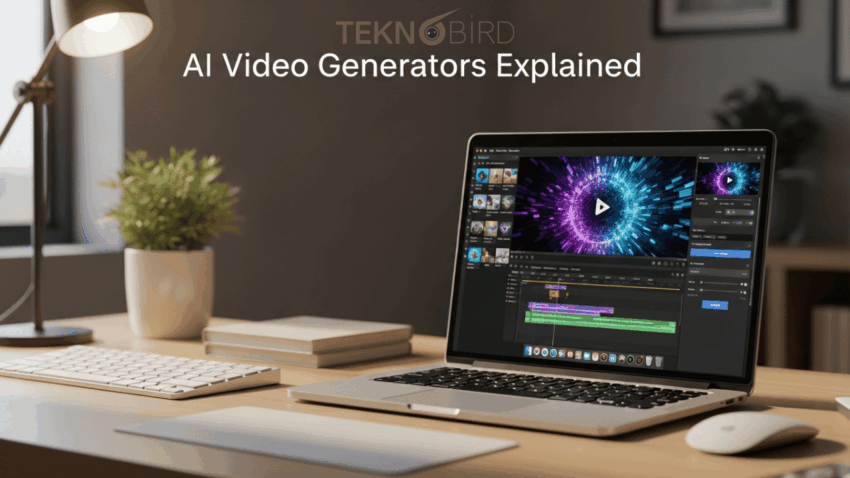
This is where an ai video generator changes the game. Instead of spending weeks learning editing software, anyone can now turn a simple idea into a professional video using text prompts. Whether you are a marketer, entrepreneur, content creator, or small business owner, an ai video generator app makes high quality video creation faster, easier, and more accessible than ever before. In this guide, we will explain how these tools work and how you can use them effectively.
What is an ai video generator and how does it work?
An ai video generator is a software platform that uses artificial intelligence to transform text, scripts, or ideas into fully produced videos. Instead of manually selecting footage, adding transitions, syncing audio, and adjusting timelines, the system handles most of the technical process for you. You simply describe what you want, and the tool generates visuals, voiceovers, music, and scene transitions automatically.
Behind the scenes, these platforms rely on advanced AI models trained on large datasets of images, videos, and audio. They analyze your prompt, identify the context, and match it with relevant visuals and sounds. Many tools also allow customization after generation, so you can tweak scenes, replace clips, or modify text. This combination of automation and flexibility makes an ai video generator app ideal for both beginners and experienced creators.
Why are ai video generator apps becoming so popular?
The rise of short form content, online courses, digital marketing, and e commerce has dramatically increased the demand for video. Businesses need promotional videos, ads, product demos, and social media clips regularly. Hiring professional editors for every project is costly and time consuming. Learning advanced editing software also requires a significant time investment that many professionals cannot afford.
An ai video generator app solves these challenges by reducing production time and cost. It removes technical barriers and allows creators to focus on storytelling rather than editing complexity. With faster turnaround times and scalable content production, brands can maintain consistent online presence. This accessibility is the main reason why AI powered video tools are gaining traction across industries.
Can you really create high quality videos without editing skills?
Yes, it is absolutely possible to create high quality videos without traditional editing skills. Modern AI platforms are designed with user friendly interfaces that guide you step by step. Instead of navigating complicated timelines, you work with prompts, templates, and simple customization options. The AI organizes scenes, suggests visuals, and aligns audio automatically.
Quality is achieved through smart automation. Many tools use professionally designed templates, licensed stock footage, and natural sounding AI voiceovers. As a result, even beginners can produce polished marketing videos, explainer videos, or educational content. While manual editing still offers deeper control, an ai video generator provides impressive results with minimal effort and experience.
What are the best ai video generator tools available today?
There are several strong options in the market, each offering unique strengths depending on your needs and budget. Here are five popular AI video generator tools worth considering.
1. Invideo: InVideo is a powerful AI video generator designed to help creators turn text prompts into full-length, professional videos quickly. It supports marketing videos, explainer content, UGC-style ads, and social media clips with minimal editing effort.
2. Synthesia: Synthesia is widely known for its AI avatars and multilingual voiceover capabilities. It is particularly useful for corporate training and internal communication videos where realistic presenters are required.
3. Pictory: Pictory focuses on turning long form content such as blogs or webinars into short engaging videos. It is helpful for content repurposing and social media distribution.
4. Runway: Runway offers advanced AI features including background removal, video editing assistance, and creative visual generation. It is popular among creators who want both automation and artistic control.
5. Lumen5: Lumen5 is designed for marketers who want to convert blog posts into social media videos quickly. It uses AI to match text with relevant visuals and animations, making it ideal for content marketing strategies.
What features should you look for in an ai video generator app?
Choosing the right ai video generator app depends on your specific goals. However, certain features are essential for creating professional results. First, look for text to video capabilities that allow you to convert scripts or ideas into structured scenes automatically. This saves time and ensures logical flow in your final output.
Second, evaluate customization options. Even though AI handles most of the heavy work, you should still be able to edit text, replace visuals, adjust music, and refine transitions. Additional features such as AI voice cloning, avatar creation, and template libraries can further enhance creativity. A balance between automation and control is key when selecting the right platform.
How can businesses use ai video generators effectively?
Businesses can integrate an ai video generator into multiple marketing and communication workflows. For example, companies can create product demo videos to explain features in a clear and engaging format. Instead of static product pages, short AI generated videos can increase conversions and customer understanding.
Brands can also produce social media ads, promotional campaigns, onboarding tutorials, and customer testimonials efficiently. With faster production cycles, marketing teams can test multiple video variations and optimize performance. This flexibility makes an ai video generator app a practical tool for scaling video marketing without expanding production budgets.
Are there any limitations to consider?
While AI video tools are powerful, they are not perfect replacements for professional filmmaking in every situation. Highly cinematic projects that require complex storytelling, advanced motion graphics, or detailed manual adjustments may still benefit from expert editors. AI generated visuals may occasionally require refinement to match specific brand aesthetics.
However, for most marketing, educational, and social media needs, these limitations are manageable. The key is to use AI as a productivity enhancer rather than a complete substitute for creativity. With thoughtful prompts and minor adjustments, users can achieve impressive outcomes using an ai video generator.
Conclusion
AI video technology has transformed the way content is created and distributed. What once required technical expertise, expensive software, and professional editing skills can now be achieved through intuitive platforms powered by artificial intelligence. An ai video generator allows individuals and businesses to focus on storytelling, strategy, and creativity instead of complex production workflows.
Whether you are exploring an ai video generator app for marketing, education, or brand building, the opportunity is clear. Tools like invideo and other leading platforms are making high quality video production accessible to everyone. By understanding how these tools work and selecting the right features for your needs, you can confidently create engaging videos without traditional editing experience. The future of video creation is not about complexity. It is about simplicity, speed, and creative freedom.