

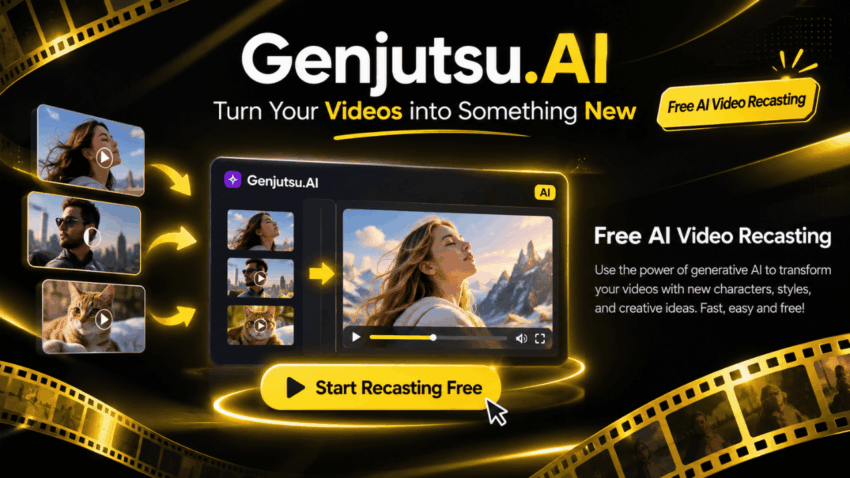
Seeing a popular video can immediately suggest a personal version: the same dramatic entrance, but with you as the subject, or a familiar reaction adapted to your own situation. An AI video recreation tool provides a reference-based route to exploring that idea without organizing a new shoot. At the time of writing, genjutsu ai offers free generation opportunities subject to available usage limits. A useful first attempt begins with a specific format, clear reference images, and a twist you can explain in one sentence.
Decide What Your Version Adds
Start with the part of the reference you want to preserve. It might be a confident entrance, a surprised look, or an exaggerated celebration. Then explain what makes your version personal.
The answer could be a situation your audience recognizes, an outfit that changes the tone, or your own image replacing the original performer. A familiar sequence becomes more interesting when the adaptation has an identifiable reason to exist.
Keep the first experiment focused. Instead of trying to change everything, choose one performer replacement and one clear setup. That makes the result easier to assess before using another generation opportunity.
The product page introduces free video recasting within available limits; check the current allowance before generating.
How to Prepare and Generate Your First Remake
Step 1: Pick a Readable Reference
Choose a clip centered on one action you can describe easily. A performer enters, pauses, and waves. Someone reacts to a reveal. A celebration ends with a recognizable gesture.
Watch the full reference rather than judging only the opening. Notice obstruction, cuts, and contact with props. A simpler performance gives you fewer competing issues to review during an initial experiment.
Use footage you have permission to adapt. A public video can provide inspiration without automatically being suitable for direct reuse.
Step 2: Prepare Clear Images of the Replacement
If you want to feature your own image, choose references where your face and intended appearance are visible. Use consistent hairstyle and outfit details for the first attempt.
Avoid mixing heavily filtered images with incompatible looks. The goal is to explain the subject clearly, not to provide the largest possible collection of photographs.
If the images feature someone else, use them with appropriate permission. A playful remake should not imply another person’s participation or endorsement without their agreement.
Step 3: Choose the Right Starting Route
genjutsu ai supports custom reference footage and ready-to-use templates. A template is useful when its existing action already fits your idea. Upload the replacement images and use its built-in instructions without composing a prompt.
For a custom reference, upload the video and images, then describe the intended change. A possible instruction is to replace the main performer with the person shown in the reference images while following the original entrance and wave.
That request states the intended result. The generated version still needs review, especially where pose, lighting, and interaction change.
Step 4: Check the Current Free Opportunity
Review the interface for the allowance available to you before starting. Free generation opportunities do not imply unlimited use, a fixed number of attempts, or permanent conditions.
Prepare the references and prompt first, then use the attempt to answer a concrete question. Does the selected performance suit your image and caption? Is the replacement recognizable during the important moment?
After generation, write down what you learned before trying again. Changing the reference, clarifying the subject images, and improving the setup are different decisions.
Step 5: Review and Finish the Post
Watch at normal playback speed. Check whether the new subject is recognizable and whether the action supports the intended situation. Then inspect turns, gestures, and contact with nearby objects for inconsistencies.
Add a short caption that completes the setup. If viewers need a long explanation, reconsider the relationship between your situation and the reference performance.
Review permissions and any added music or visual assets for the intended publication. Treat the output as a creative remake rather than evidence that the depicted event actually occurred.
Choose an available template or supply custom footage, then add the images intended to guide the replacement.
Example Case: Making a Casual Arrival Look Dramatic
Imagine a fictional creator adapting a confident entrance to a joke about arriving at a casual lunch. They use their own reference images and footage they are entitled to adapt. This is an illustrative workflow, not a reported generation result.
The intended caption is “Me arriving for the meal I contributed nothing to.” The reference supplies the grand entrance; the ordinary situation supplies the contrast.
The creator would check facial recognizability, hairstyle, and whether the pause still gives the caption time to make sense. If the performance is too fast, different footage may help more than a longer prompt.
If the concept works but the appearance varies, they can review their images before using another available attempt. The point of the first draft is learning whether the combination is worth developing.
Use the First Draft to Choose the Next Step
Give the attempt a descriptive name, such as casual lunch entrance, and record the moment that best communicates the joke. If you compare another version later, keep the intended situation visible in your notes. This helps you judge a meaningful revision instead of selecting whichever output has the most dramatic appearance without checking whether it supports your original idea.
Keep the source, chosen images, prompt, and caption together. A brief note about the main correction helps you avoid repeating the same unclear request and makes comparisons easier.
To explore a personal version of a familiar format, an AI video recreation tool can turn reference material into a concrete creative experiment. Start with the current free opportunity if available, make the intended twist clear, and judge the complete output before deciding what to create next.
