

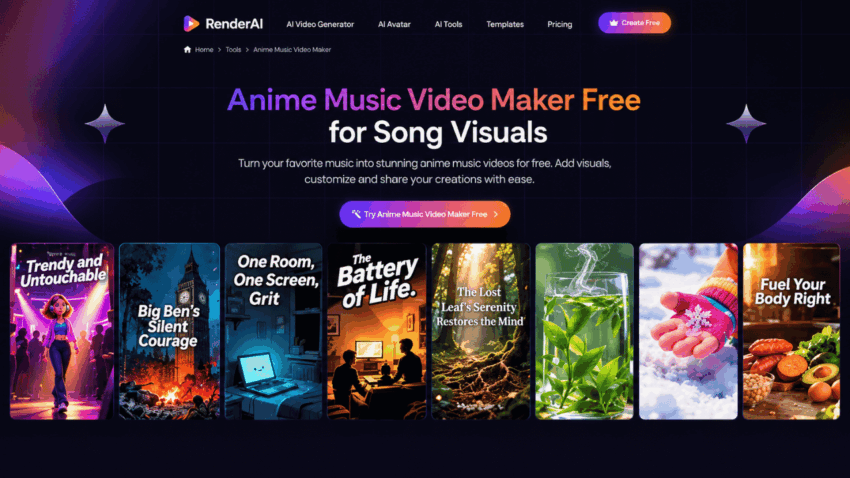
Anime music videos combine expressive characters, imaginative settings, and distinctive animation styles to bring songs to life. AI tools make it easier to create romantic scenes, action sequences, and visual stories without animating every frame manually. Learning how to make anime music videos starts with choosing a visual style, designing characters, and planning scenes around the music.
Part 1. How to Make Anime Music Videos Using AI
Before generating your video, decide how the visuals should connect with the song. These five steps explain how to make anime music videos with consistent characters, a recognizable art style, and scenes that follow the track’s direction.
Step 1. Choose an Anime Visual Style
Decide what kind of anime aesthetic fits your music. You might prefer colorful 2D animation, cinematic anime-inspired visuals, manga-style illustrations, or realistic 3D scenes. Consider the song’s genre and mood when selecting colors, character designs, backgrounds, and lighting. A consistent visual direction helps the finished video feel like one complete project.
Step 2. Design Your Anime Characters
Decide whether your music video needs a main protagonist, multiple characters, or no characters. Describe details such as hairstyles, clothing, facial features, and personality. For character-driven videos, establish recognizable appearances before generating different scenes. You can also prepare reference images when your chosen AI tool supports image-based guidance.
Step 3. Plan Anime Scenes Around the Music
Listen to the song and divide it into sections, such as the introduction, verses, chorus, and ending. Give each section a visual purpose. A quiet verse might show a character walking through a rainy city, while an energetic chorus could feature dramatic action or dynamic camera movements. Plan visuals that reflect the song’s emotional changes rather than generating unrelated anime images.
Step 4. Write Detailed Anime Video Prompts
Describe the characters, environments, lighting, movements, and camera composition for each scene. Include details such as expressive anime faces, backgrounds, cinematic framing, and color palettes. Reuse character descriptions and style instructions across related prompts to help maintain a recognizable appearance.
Step 5. Generate and Refine Your Music Video
Generate the planned scenes and review how they work together. Check character consistency, background details, and whether the transitions suit the music. Replace or refine scenes that do not match your concept. Finally, arrange the footage and adjust scene timing in a video editor if more precise synchronization is needed.
Part 2. How to Create Anime Music Videos with MagicLight AI
MagicLight AI provides a Music Video workflow for turning songs into visual content. Creators can upload music or generate a new track, select visual styles and models, configure characters, and refine scenes through Nano Storyboard. These options support anime-inspired projects built around recurring characters and connected visual sequences.
Key Features
- MagicLight Agent: MagicLight Agent offers a guided, conversation-based creation workflow. It helps develop an initial idea into scripts, storyboards, character descriptions, and visual plans, giving creators a clearer direction before developing their scenes.
- Multiple Visual Styles: MagicLight provides visual models and styles, including 2D and 3D options. Creators can explore different aesthetics to develop anime-inspired visuals, from illustrated character scenes to cinematic environments.
- Music Upload and Creation Options: Creators can upload tracks in supported formats such as MP3, WAV, and M4A. Those without a finished song can also use the built-in Suno-powered music generation feature.
- Character Creation and Selection: Users can describe a new character or select an available option. Establishing recognizable character details is useful for anime concepts built around a protagonist or recurring cast.
- Nano Storyboard Controls: Nano Storyboard allows creators to review and refine planned scenes. Users can adjust character poses, outfits, expressions, and camera angles to improve individual shots.
Step-by-Step Guide to Creating an Anime Music Video with MagicLight AI
Step 1. Open the Music Video Tool
Visit MagicLight AI and select Music Video from the dashboard. Start with a concept, such as a romantic storyline, fantasy adventure, or sequence of atmospheric anime scenes.
Step 2. Upload or Create Your Music
Upload your song in a supported audio format, or select Create Music. To generate a new track, enter lyrics or a short song description and choose a suitable music genre.
Step 3. Select the Visual Style and Video Settings
Choose a visual model and art style that match your concept. Explore the available 2D, 3D, and other visual options, then select an aspect ratio for your intended platform. You can also configure the available story model and language settings.
Step 4. Create or Select Your Characters
Create new characters or choose available options, depending on your concept. For an anime storyline with a recurring protagonist, establish the character’s appearance before moving to the storyboard.
Step 5. Refine the Storyboard and Character Details
Review the generated storyboard and inspect each scene. Adjust character poses, clothing, expressions, and camera angles using the available controls. Refine scene prompts when the composition or character appearance does not match your intended style.
Step 6. Review, Edit, and Export the Video
Review how the generated scenes work with your music. Choose from the available lyric subtitle settings if you want lyrics on screen. Check the finished sequence and make any necessary adjustments before downloading your video.
Part 3. Why Use MagicLight AI for Anime Music Videos
MagicLight AI can help creators combine music, anime-inspired visuals, and character-based storytelling in one workflow.
- Guided creative development: MagicLight Agent helps turn an initial concept into scripts, storyboards, character descriptions, and visual plans.
- Flexible visual direction: Explore 2D, 3D, and other available styles to develop an anime-inspired appearance that suits your music.
- Character customization: Create or select characters and refine their poses, outfits, and expressions to establish a recognizable visual identity.
- Storyboard refinement: Review individual scenes and adjust prompts and camera angles before generating the final video.
- Lyric presentation: Choose available subtitle settings to display song lyrics alongside your visuals.
The best tool depends on your project. If you need frame-by-frame anime animation, advanced motion control, or precise manual beat editing, dedicated animation software and video editors may offer more specialized controls. For anime-inspired music videos focused on visual styles, recurring characters, and connected scenes, MagicLight AI is worth considering.
Conclusion
Learning how to make anime music videos using AI creation tools gives creators a practical way to combine music, anime aesthetics, and visual storytelling. Choose a consistent art style, develop recognizable characters, and plan scenes around the song to create a cohesive video. MagicLight AI supports this process through its Music Video workflow, character options, visual style selection, and Nano Storyboard controls.
FAQs About AI Anime Music Videos
1. Can AI create anime music videos from a song?
Yes. AI video tools can generate anime-inspired scenes using audio and visual inputs, allowing creators to build music videos without filming every scene.
2. How can I keep the same anime character across different scenes?
Use consistent character descriptions or reference images, and choose a tool that supports character reuse. Review generated scenes to identify changes in appearance.
3. Can I create a 2D anime music video with AI?
Yes. Some AI tools offer 2D and anime-inspired visual styles. Describe the character designs, backgrounds, colors, and animation aesthetic you want.
4. Can MagicLight AI display song lyrics in an anime music video?
Yes. MagicLight AI offers subtitle settings for displaying lyrics on screen, allowing creators to combine animated visuals with song lyrics.
5. Can I use AI-generated anime music videos commercially?
Commercial use depends on the platform’s terms and the rights to your music and other assets. Check the relevant licensing conditions before publishing or monetizing your video.
