

A useful video does not always start with a camera, a scriptwriter, and a full afternoon of editing. Sometimes it starts with a customer question, a product photo, or an idea scribbled in a notebook.
For small teams and independent creators, the challenge is rarely a lack of ideas. It is finding a practical way to turn those ideas into visual content without treating every short clip like a major production.
AI video tools can help with that early creative work. They can generate visual scenes from written descriptions or add motion to an existing image. The result still needs human judgment, but the process can make it easier to explore an idea before committing time and resources to a larger project.
Here is how that approach can work in everyday situations.
Start With a Question Your Audience Already Has
One of the easiest ways to find a video idea is to look at the questions people ask repeatedly.
A coffee shop might hear, “What is the difference between a latte and a cappuccino?” A freelance designer might be asked how a logo project begins. A small online store might regularly explain how to choose the right size or care for a product.
Each question can become a short piece of content. The goal is not to explain everything in one video. It is to answer one question clearly enough that a viewer understands the next step.
For example, a plant shop could create a short video around the question, “Why are my houseplant’s leaves turning yellow?” The creator might use a few visual scenes to illustrate common possibilities, then add a caption encouraging viewers to check the plant’s specific care requirements.
This approach gives the video a reason to exist beyond promotion. It also makes planning easier: the question becomes the topic, and the answer provides the structure.
Turn a Written Idea Into a Visual Starting Point
Not every useful idea comes with footage. A creator may know what they want to show but lack a suitable location, camera, or subject.
That is where a text-to-video workflow can be useful. Instead of beginning with a blank editing timeline, the creator describes a scene and generates a short visual draft.
A prompt for the plant shop example might look like this:
A close-up of a houseplant with a few yellow leaves beside a bright window. Soft morning light, gentle camera movement, natural colors, vertical video.
The description does not need to be complicated. It should establish the subject, setting, lighting, movement, and intended format. From there, the creator can review the result and adjust one or two details at a time.
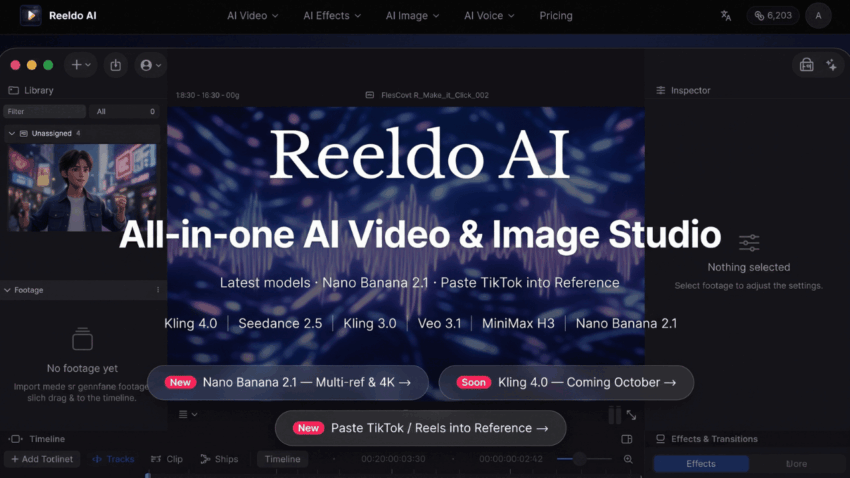
For teams exploring this workflow, Reeldo AI offers an AI text-to-video generator that accepts written scene descriptions. The generated clip can serve as a visual starting point; the explanation, captions, and final editorial choices remain the creator’s responsibility.
A practical tip is to keep each generated scene focused on one action. Asking for a close-up of a plant near a window is easier to evaluate than asking one clip to show a full room, several people, changing weather, and multiple camera angles.
Give Existing Images a Second Life
Many small businesses already have useful visual assets: product photos, event pictures, illustrations, or behind-the-scenes images. Those assets do not have to remain static.
For instance, a ceramic artist might have a photograph of a finished mug on a worktable. A short animated version could add subtle camera movement or a change in lighting, creating an opening shot for a video about the making process.
The same approach can work for a travel creator who wants to introduce a destination, or a food blogger who needs a visual transition between recipe steps. In both cases, the original image provides a starting point, while the creator decides what movement supports the story.
Reeldo AI’s studio includes image-to-video tools for this type of workflow. As with any generated visual, it is worth checking the output closely: labels, hands, text, and small product details may not appear exactly as intended.
When accuracy matters, use the generated clip as atmosphere rather than evidence. A real product demonstration should still show the actual product and its real features.
Build a Simple Three-Part Story
A short video does not need a complex script, but it benefits from a clear structure. One useful pattern is:
- The hook: Introduce a question, problem, or visual that earns attention.
- The useful part: Show one idea, answer, or example.
- The close: Give the viewer a takeaway or a natural next step.
Imagine a freelance photographer making a video about preparing for a portrait session.
The opening might show a softly lit workspace with the caption, “Not sure what to wear for your portrait?” The middle could share one practical tip: choose colors that feel comfortable and work well together. The close might suggest laying out two options before the session.
The generated visual supports the message, but it does not need to carry the entire explanation. Captions, a voiceover, or real footage can make the video more specific and credible.
This structure also works across platforms. A team can adapt the same core idea for a vertical short video, a website introduction, or a longer educational post. The format may change, but the audience question stays the same.
Experiment Without Losing Your Voice
AI-generated content can save time during the exploration stage, but it can also make different creators’ videos look surprisingly similar. The solution is not necessarily a more elaborate prompt. It is a clearer point of view.
Start with details that reflect the subject and audience. A local bakery may favor warm, informal scenes and practical baking tips. A technology educator may prefer clean visuals and concise explanations. A travel creator may focus on place, pacing, and atmosphere.
It also helps to keep a small set of creative guidelines:
- Choose a consistent tone for captions and narration.
- Use visual styles that suit the topic rather than chasing every trend.
- Add original observations, examples, or expertise.
- Review generated scenes for errors before publishing.
These choices make the video feel connected to the creator, even when some visual elements are generated.
References can be useful for communicating a desired mood or camera movement, but creators should use material they have permission to use. An existing video may be a source of inspiration; copying someone else’s distinctive work is a different matter.
Know When to Use Real Footage Instead
AI video is not the best answer to every content problem. If the purpose is to demonstrate how a device works, introduce a team member, or show the condition of a real location, authentic footage will often be more helpful.
Generated visuals are better suited to illustrating a concept, creating a mood, testing an idea, or filling a visual gap. They can work alongside real footage rather than replacing it.
For example, a workshop owner might film the actual process of making a product, then use a generated opening scene to introduce the theme. The real footage establishes trust; the generated scene adds creative context.
Creators should also avoid presenting fictional scenes as documentary evidence. Where a generated image or video could mislead viewers, clear labeling helps preserve trust. Platform rules and local disclosure requirements should also be checked before publication.
Make the First Video Small
The most useful way to begin is not to plan a month of content. Choose one audience question, one visual idea, and one short takeaway.
Write a simple prompt, generate a draft, review the details, and add the information only you can provide. If the result does not support the message, change the scene or use another visual.
Tools such as Reeldo AI can make visual experimentation more accessible, but the strongest videos still begin with a real understanding of the audience. Technology can help create the scene; knowing why that scene matters is the creator’s job.
