

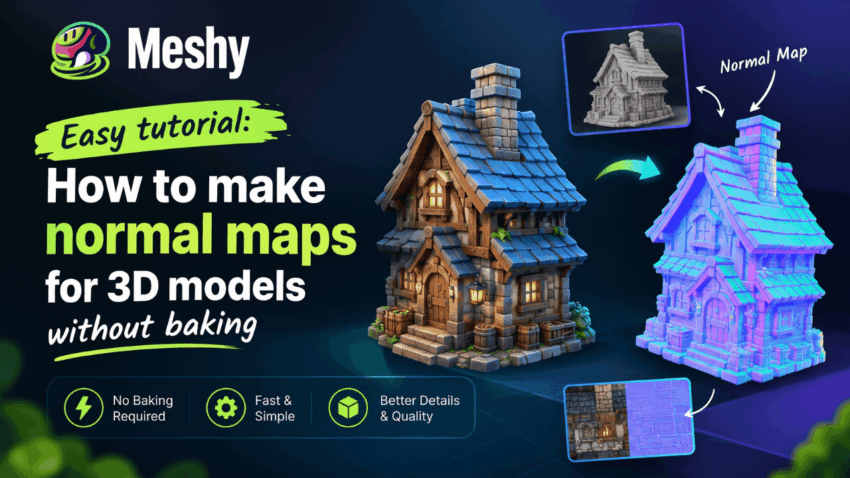
Want to add convincing surface detail to a 3D model? Normal maps can make a flat surface appear to contain scratches, fabric weave, or small grooves without adding polygons. The traditional workflow—baking detail from a high-poly sculpt to a low-poly model—can be time-consuming, especially for beginners.
Fortunately, not every project requires a bake. This tutorial explains what normal maps do, why baking can be difficult, and when an image-based generator offers a faster alternative.
What Is a Normal Map?
A normal map is a texture that stores surface direction data. Each pixel’s color (mostly purple-blue with red and green variations) tells the render engine how light should bounce off that point. The result is the illusion of fine detail on a simple, lightweight model.
Normal maps are essential for:
- Game development: keeping polygon counts low while preserving visual quality
- Real-time rendering: enhancing realism without sacrificing performance
- AR/VR and Web 3D: providing quality assets despite restricted resources
- Product visualization: making materials such as leather, wood, and metal appear more detailed
The Difficulty of Manual Baking for Newcomers
Manual baking usually involves sculpting a high-poly model, creating a low-poly version, unwrapping its UVs, setting up a cage, and baking in software such as Blender, Substance 3D Painter, or Marmoset Toolbag.
Any of these steps can fail. Common problems include:
- Messy UV layouts that cause stretched or distorted details
- Ray projection errors that create ugly artifacts and “skewed” shading
- Mesh inconsistencies between high-polygon and low-polygon models
- A steep learning curve involving cage distance, tangent space, and anti-aliasing settings
- Long iteration times every time you tweak the model
For hobbyists, indie developers, and designers who just need a good-looking asset, this is a lot of overhead.
The Alternative: Generate Normal Maps Directly
Instead of transferring detail from geometry, you can derive a normal map from an existing texture image. Image-based generators estimate height changes from brightness and local contrast, then convert those changes into surface-normal information.
This approach has clear advantages:
- No high-poly model needed
- No UV baking setup
- Results in seconds or minutes rather than hours
- A beginner-friendly workflow with less technical setup
For a browser-based option, https://www.meshy.ai/3d-tools/normal-map-generator creates normal maps from PNG, JPG, JPEG, WebP, or BMP images and processes the files locally in the browser.
Creating a Normal Map without Baking
Step 1: Choose a High-Quality Image
The quality of the normal map depends heavily on the source image. Use a sharp, high-resolution texture with even lighting and minimal cast shadows. Materials such as stone, bark, concrete, and fabric work well.
Step 2: Prepare the Image
Crop distracting content and balance the lighting as much as possible. Baked-in shadows may be interpreted as height, so reduce them where practical. For tileable materials, prepare seamless edges.
Step 3: Generate the Normal Map
Upload the image to the normal-map generator and process it. If the tool provides a strength control, begin with a moderate setting; exaggerated values can make the surface look unnatural.
Step 4: Check the Result
Review the normal map in a 3D preview, such as a sphere or plane, and inspect it under several light directions.
Step 5: Apply to Your 3D Scene
Connect the normal map to the Normal input of a material in Blender, Unity, Unreal Engine, Three.js, or another renderer. Applications can use opposite green-channel conventions, so if the lighting appears inverted, flip the green channel or change the normal-map orientation setting.
Suggestions for Improved Outcomes
- Start with a sharp texture. Blurry images tend to produce weak or noisy normals.
- Combine the normal map with albedo, roughness, metallic, and—where appropriate—ambient-occlusion maps in a physically based rendering workflow.
- Experiment with various lighting. A normal map that looks great in one scene may need adjusting in another.
- Don’t overdo intensity. Subtle detail usually looks more realistic than extreme depth.
- Know the limits. Generated normal maps are ideal for textures and surface detail, but complex organic shapes may still benefit from traditional baking.
When Should You Still Bake?
Skipping baking is not always appropriate. If you are transferring sculpted detail from a high-poly hero asset to a low-poly mesh, baking remains the most precise method. For tileable textures, props, environmental assets, concepts, and prototypes, direct image-based generation can save substantial time.
Conclusion
You do not need to master high-to-low baking before experimenting with normal maps. An image-based generator can turn a texture into a useful starting map quickly. Try the browser-based generator with one of your own images, then inspect and adjust the result in your target renderer.
