

Email is still where most business communication happens, and that’s exactly why it’s such a common target for fraud, phishing, and impersonation. As inboxes fill up and attacks get more sophisticated, mailbox providers have built layers of systems to sort legitimate mail from everything else.
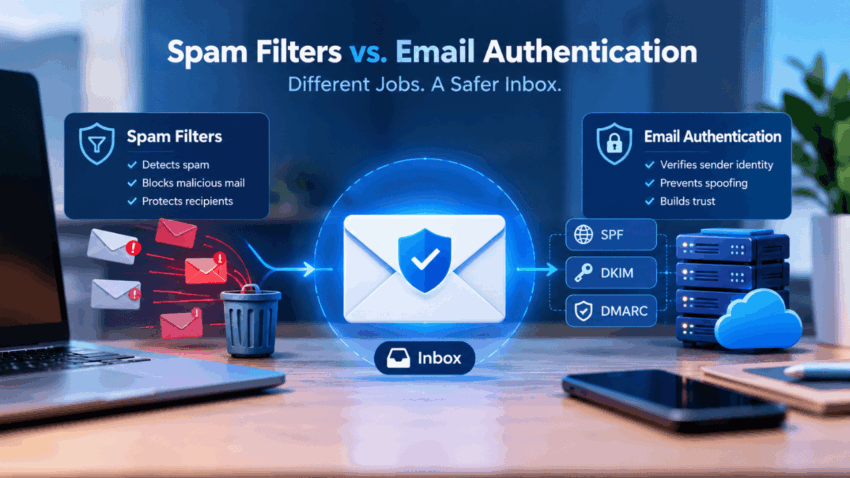
Spam filters and email authentication are related but distinct technologies that work together to improve email security. The difference matters in practice because it affects whether your emails actually reach the inbox or quietly vanish into a spam folder.
What Are Spam Filters?
A spam filter is automated software tool that analyzes incoming emails to detect and block unwanted, suspicious, or malicious messages. It redirects these messages to a junk folder or deletes them, protecting inbox from clutter, phishing and malware.
There’s no single factor that determines this. Spam filters typically weigh things like:
- The sending domain and IP’s track record – has this source sent legitimate mail before?
- Language and formatting in the message itself – certain phrasing, excessive capitalization, or punctuation patterns are treated as red flags
- Links that lead to domains with poor or malicious reputations
- Attachment types known to carry malware
- How recipients engage with the message – opened, ignored, deleted, unread
- Complaint rates – how often similar mail gets marked as spam
- Sending patterns over time – volume, consistency, timing
At its core, a spam filter is about protecting the recipient. It’s making a decision based on content and behavior.
What Is Email Authentication?
Email authentication is a set of technical protocols that verify an email sender’s identity; it proves to receiving servers that an email came from the claimed domain. It protects brands and recipients from phishing and spoofing and also ensures legitimate emails avoid the spam folder.
This runs through three protocols:
- Sender Policy Framework (SPF) lists which mail servers are permitted to send on behalf of a domain.
- DomainKeys Identified Mail (DKIM) attaches a cryptographic signature to outgoing messages, so the receiving server can confirm nothing was altered in transit.
- Domain-based Message Authentication, Reporting and Conformance (DMARC) sits on top of both, telling receiving servers what to do when a message fails SPF or DKIM checks, and sending reporting data back to the domain owner.
The combined effect is that domain spoofing becomes much harder, phishing attempts to lose effectiveness, and mailbox providers like Gmail and Outlook have a stronger basis for treating the sender as legitimate.
When these protocols are solid, they unlock the ability to show your official logo directly in the inbox with the BIMI protocol as visual proof of a secure email. However, implementing just DMARC isn’t sufficient to enable BIMI visual markers without specific enforcement policies.
Is Email Authentication Free to Set Up?
SPF, DKIM, and DMARC don’t inherently require a license fee, as they rely on DNS records and email authentication mechanisms. However, configuration, monitoring, and third-party email services may involve additional costs, especially for organizations sending messages through multiple platforms.
Businesses that also want to display their logos in supported inboxes may incur an additional BIMI certificate cost; it depends on the certificate provider and the selected term. This makes certificate pricing a separate consideration from implementing SPF, DKIM, and DMARC, which should be properly configured before pursuing BIMI.
Spam Filters vs. Email Authentication: Key Differences
| Feature | Spam Filters | Email Authentication |
| Primary purpose | Detect spam | Verify sender identity |
| Focus | Content and reputation | Domain ownership |
| Who benefits | Recipients | Senders and recipients |
| Technology | Filtering algorithms | Authentication protocols |
| Prevents | Spam and malicious mail | Spoofing and impersonation |
| Operates on | Receiving mail servers | Both sending and receiving servers |
| Works independently? | Yes | Yes, but far less effective alone |
Spam filters exist to protect what lands in someone’s inbox. Authentication does the opposite: it protects the domain owner from impersonation while also giving the recipient a reason to trust that a message is genuine.
Underlying technology is different, too. Spam filtering relies on algorithms trained in content and behavioral patterns. Authentication relies on published DNS records and cryptographic checks.
And they sit at different points in the mail flow. Spam filtering happens entirely on the receiving end, as mail arrives. Authentication requires setup on the sending side – DNS records, and verification on the receiving side, which makes it a two-sided system by design.
Because email authentication depends on correctly configured DNS records, SPF record validation helps confirm that your DNS record is correctly published and free from configuration errors. Catching issues early reduces the risk of authentication failures that can affect email delivery.
How Email Authentication Supports Better Inbox Placement
Mailbox providers don’t take a sender word for identity – they verify it. Once a domain has its authentication protocols properly configured, receiving servers can validate that identity automatically with every message.
That validation becomes a trust signal over time. A domain that passes these checks consistently builds a track record, and mailbox providers factor that history into how future mail gets handled – favoring it over unverified senders competing for the same inbox space. Skip the setup, and the opposite happens: providers tend to throttle delivery, route mail to spam, or block it outright, since Gmail and Yahoo’s current bulk sender requirements treat authentication as close to mandatory now.
The strongest results come from treating authentication as the baseline that earns a fair shot at the inbox, with sending practices doing the rest of the work to keep it there.
Why Businesses Need Both
Any business sending email at volume – newsletters, transactional messages, marketing campaigns – has a gap if it only relies on one of these. Authentication without disciplined sending practices won’t stop content-based spam flags. Good content practices without authentication leave the domain open to spoofing that can damage trust regardless of how well the actual emails are written.
Take a business sending weekly newsletters and order confirmations. If SPF, DKIM, and DMARC aren’t configured, attackers can spoof that domain to send phishing emails to its own customers – and that damages trust even if the legitimate newsletters are fine. Flip it around: if authentication is solid, but the newsletter content triggers spam filters or gets low engagement, deliverability still suffers.
Run together; these two systems produce better deliverability, more customer trust, lower phishing exposure, higher inbox placement, and a stronger reputation over time.
Best Practices for Better Email Deliverability
- Set up SPF, DKIM, and DMARC correctly for every sending domain
- Keep the email list clean and permission-based
- Avoid language and formatting that commonly triggers spam filters
- Check sender reputation on a regular basis
- Send content that’s relevant and consistent
- Test campaigns before launch
- Ask recipients to whitelist the sending domain
Conclusion
Spam filters and email authentication aren’t competing against each other – they’re two separate layers doing different things. Spam filters judge whether a message is trustworthy enough to deliver, based on content and behavior. Authentication confirms whether the sender is actually who they claim to be. Businesses that want reliable deliverability and real protection against phishing need both in place, not just one or the other.
