

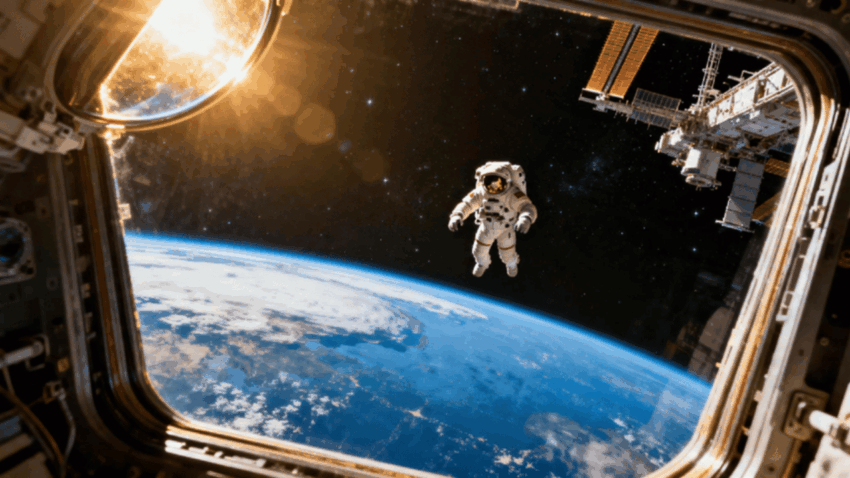
The vastness of space has always outpaced our ability to picture it, drifting stations, distant nebulas, the slow tumble of an astronaut in zero gravity. Text to video tools are finally catching up to that scale, and Dreamina’s Seedance 2.5 renders the weightlessness and silence of space with enough physical accuracy that it feels less like animation and more like footage beamed back from orbit.
Why space resists a single still frame
Space exploration is defined by scale and slowness, a station rotating gently, dust settling in low gravity, light bending differently without atmosphere to scatter it. A photo flattens all of that into one static impression. Motion is what actually sells the environment, the drift, the delay, the way nothing moves quite like it does on Earth.
Choosing the moment that carries the scene
A full mission arc rarely works in one clip. Pick a single beat that captures the feeling instead:
- A spacewalk against the curve of the planet
- A quiet interior shot inside a station module
- A rover crossing an alien landscape alone
One focused moment does more work than trying to cram an entire mission into thirty seconds.
Writing a prompt that respects the physics
A vague prompt like “space scene” leaves too much to guesswork. Name the lighting, harsh sunlight with no atmosphere to soften it, and describe how things move differently, slower, floatier, with no dust settling the way it would on Earth. That specificity keeps the scene from looking like a generic sci-fi backdrop.
Your three-step path from idea to finished scene
Step 1: Launch your prompt into orbit
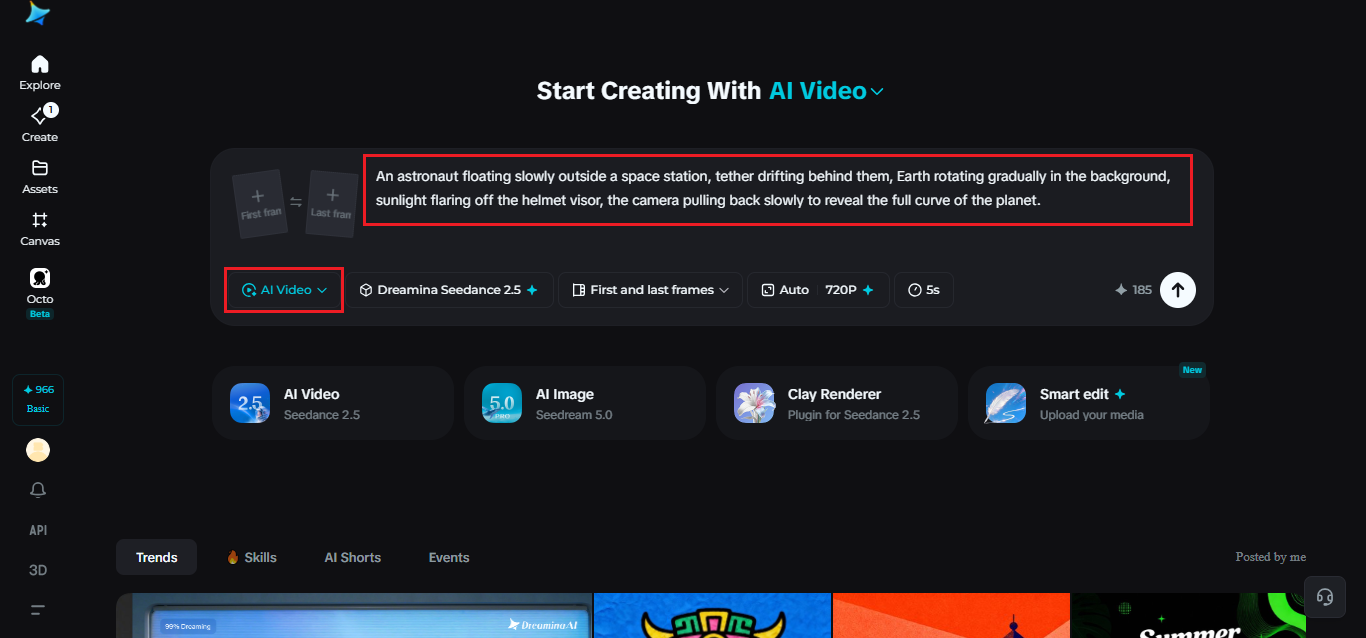
Visit Dreamina, sign in, and head to the “AI Video” section. Click “Add reference image” if you have a photo of a station, planet, or astronaut you’d like to anchor the scene to, then add your prompt describing the shot. For text-to-video creations, skip uploading and write the full prompt instead.
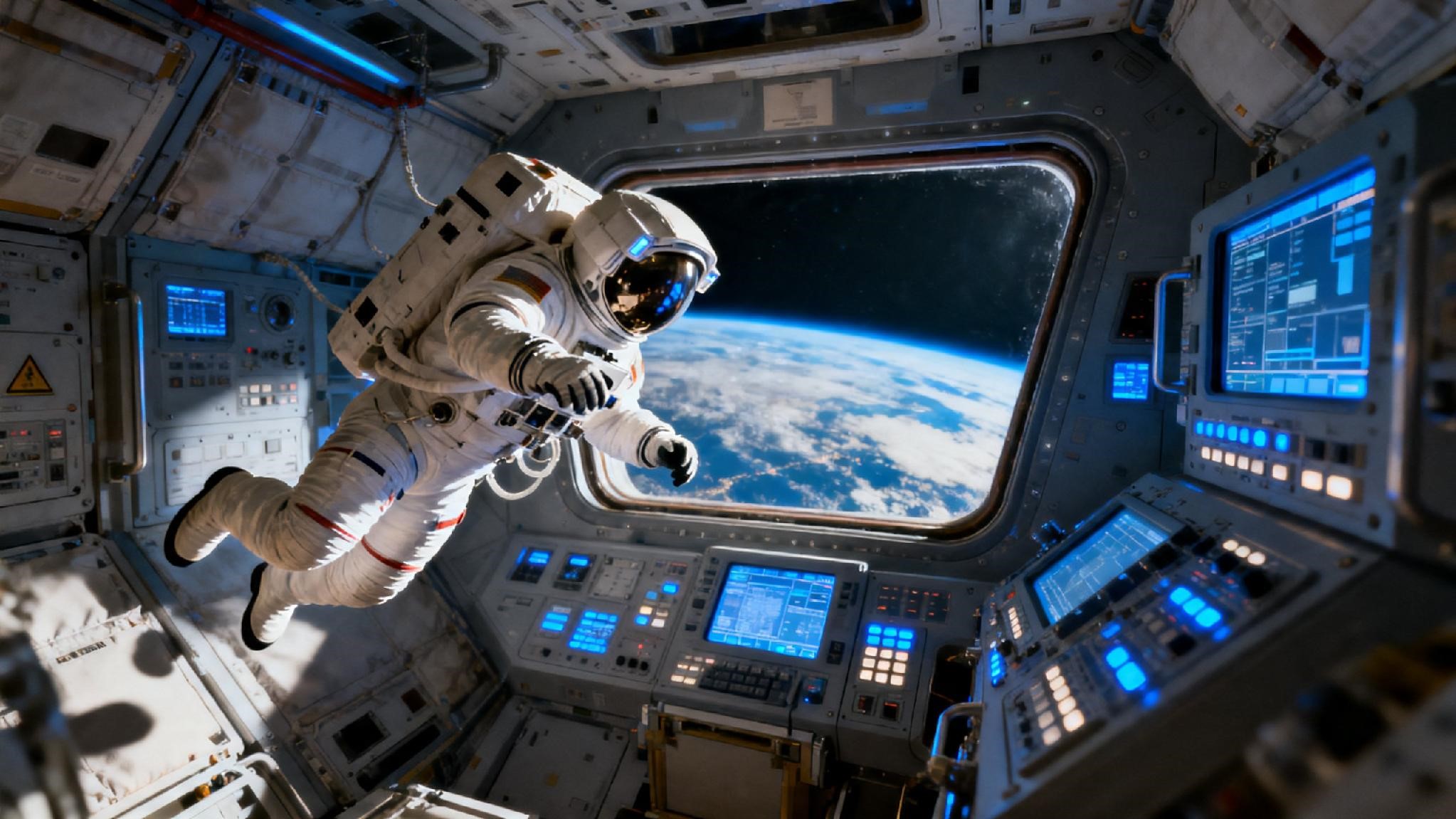
Here’s a sample: An astronaut floating slowly outside a space station, tether drifting behind them, Earth rotating gradually in the background, sunlight flaring off the helmet visor, the camera pulling back slowly to reveal the full curve of the planet.
Step 2: Send it through Seedance 2.5
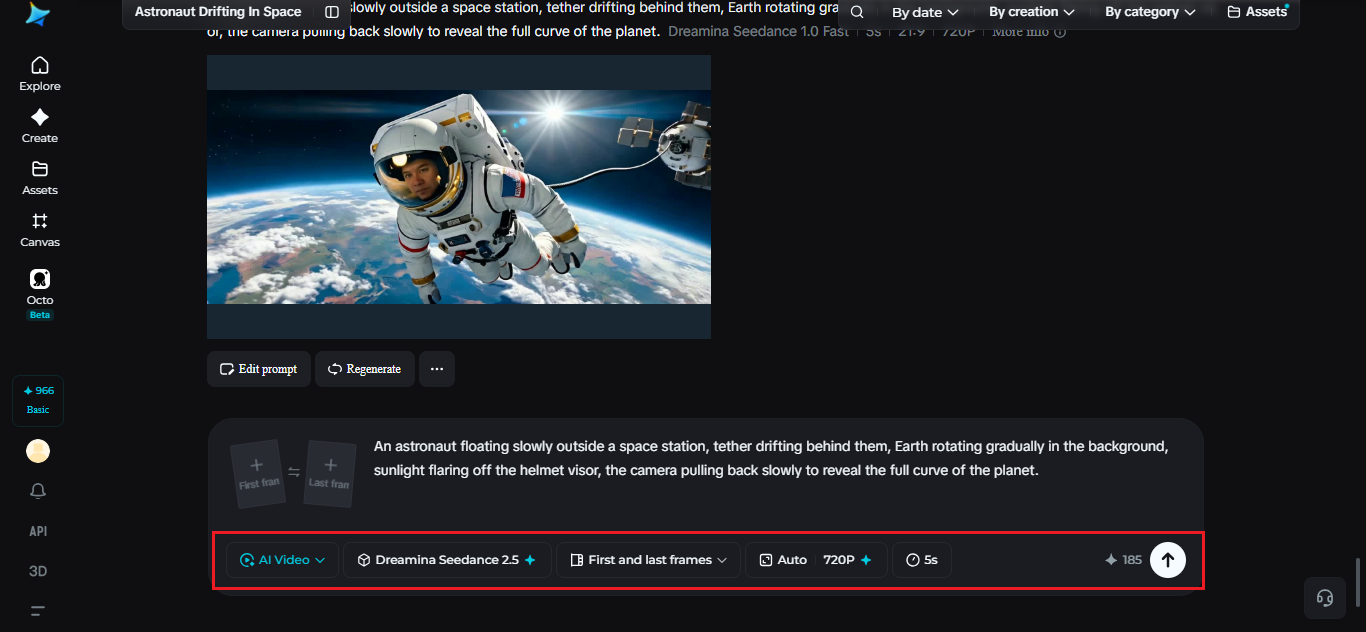
Choose the Seedance 2.5 model once your prompt is set, since it handles slow motion and complex lighting well. Pick a video length, then an aspect ratio, 16:9 for YouTube or 9:16 for TikTok. Click Dreamina’s generate icon and give it a few seconds to process.
Step 3: Polish and export the mission
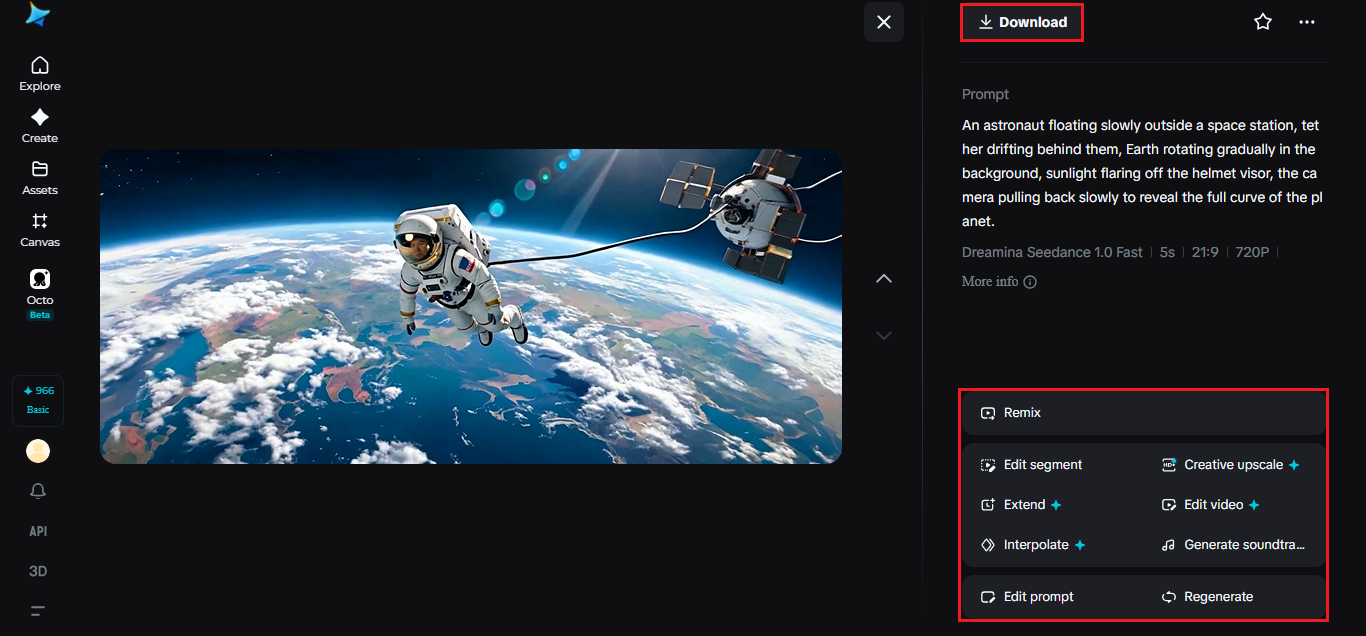
Review the clip once it’s ready, checking that the drift and lighting feel physically convincing. Use Upscale for sharper detail on suits and station panels, and Generate soundtrack to add the low ambient hum space scenes often call for. Export and share once it’s ready.
Seedance 2.5’s take on zero gravity and light
Seedance 2.5 was engineered to render the kind of motion that trips up most video models, slow, weightless, and lit by a single unfiltered sun.
Weightless motion that stays believable
Objects and figures drift and rotate the way they actually would in zero gravity, carrying momentum smoothly instead of snapping between positions or behaving like they’re moving through water.
Unfiltered lighting handled without flattening
Harsh, shadowless sunlight against pitch-black space is a difficult contrast for most models to hold onto. Seedance 2.5 keeps that stark divide between light and dark intact across a full sequence.
Extended duration for full sequences
Ultra-long video generation runs up to 180 seconds, giving a spacewalk or station sequence enough room to unfold without needing to stitch several shorter clips together.
Interiors that ground the scale
Wide shots of Earth from orbit are striking, but a quiet interior moment, a hand reaching for a panel, a view through a small window, gives the scene a human anchor. Mixing in one of these smaller beats keeps a space video from feeling like a screensaver.
Sound and silence in space scenes
Real space has no sound, but video still benefits from atmosphere. A low mechanical hum, distant radio chatter, or a soft ambient tone sets mood without breaking realism. Dreamina’s soundtrack generation tool can layer that in without needing a separate audio program.
Getting the scale right
Space scenes can quickly feel wrong if the scale is off, a station too small against the planet, an astronaut moving too quickly for zero gravity. Paying attention to relative size promptly, how large the Earth appears in the frame, how far a station sits from a passing shuttle, keeps the scene feeling physically honest. Even small cues, a slow rotation rate, a distant sun with no visible corona, add up to something that reads as real rather than staged. Getting scale right matters more in space than almost any other setting, since there’s nothing familiar nearby to compare it to.
Where space visuals are already landing
Educators use these clips to make astronomy lessons feel tangible, mission-focused creators use them to imagine missions that haven’t happened yet, and museums use them for exhibit displays that don’t require actual footage. A concept that once needed NASA-level budgets can now start as a written description.
Space used to be something you could only picture with borrowed footage or a screensaver spinning in the background. With Dreamina and the physically grounded rendering of Seedance 2.5, that scale and stillness can be built from a written idea, letting anyone put themselves, or a story, right outside the airlock.
