

Small content teams usually have no shortage of things they want to publish. The problem is getting the visuals made without turning every blog post, launch, social update, or customer message into a miniature design project.
One day, the job is simple: clean up a product photo and give it a better background. The next, someone needs a square version for social, a personalized graphic, or a new image built around a campaign idea. None of these requests is especially complicated, but together they can eat into time that should have gone to writing, distribution, or customers.
AI image tools can take some of that pressure off, but they work best when they are given a defined role. Instead of asking whether AI can “make the creative,” it is more useful to decide what kind of job is in front of you and how much control the result needs.
Know Whether You Are Editing or Creating
There is a meaningful difference between changing an image you already have and generating one from an idea.
When an existing asset matters, it should remain the reference point. You may want to remove an object, replace a background, adjust a setting, or make a version that fits a different placement. The finished image still needs to look like it came from the original material.
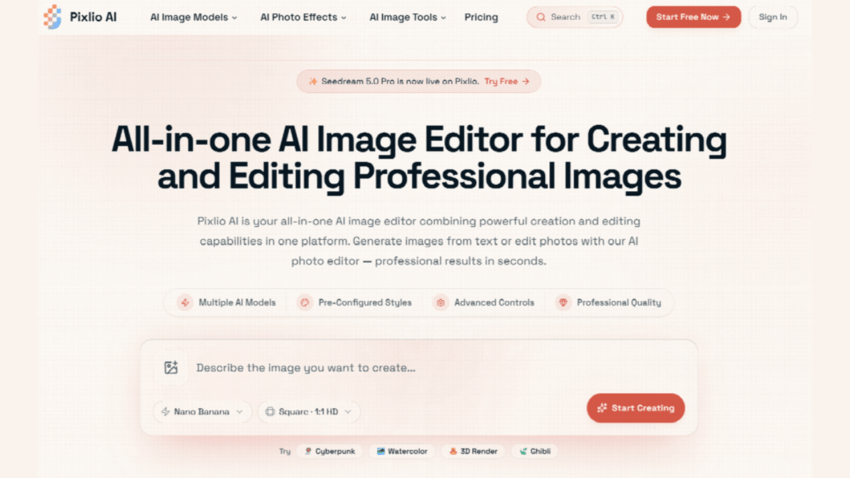
That is where a flexible editor makes sense. The Pixlio AI image editor supports both image-to-image and text-to-image workflows, so you can upload reference images or start from a written description. It also provides choices around models, styles, aspect ratios, and output formats.
The extra control is useful only if the team knows what it wants to preserve. “Make this look better” is rarely a strong instruction. “Keep the person, clothing, and camera angle the same, but replace the background with a bright office” gives the model much less room to wander.
The same principle applies elsewhere. For a product image, packaging and proportions may be non-negotiable. For a banner, empty space for a headline might matter more than background details. A social crop may simply need the subject moved away from the edge.
Writing the constraint down also makes the result easier to review. You can check whether the requested change happened rather than arguing over whether the output somehow feels “more professional.”
Not Every Visual Needs a Long Prompt
Some jobs are better handled by a purpose-built tool because the creative decisions are already fairly predictable.
Personalized graphics are a good example. If someone wants floral lettering for a birthday, wedding, thank-you message, phone wallpaper, or small gift, only a handful of choices really matter: the text, occasion, floral style, colors, and shape of the final image.
A flower name generator can turn those choices into direct controls instead of making the user describe everything from scratch. Pixlio’s version lets people enter a name, word, or short phrase and choose an occasion, visual style, colors, preferred flower, and aspect ratio. It also includes controls for floral density and text readability.
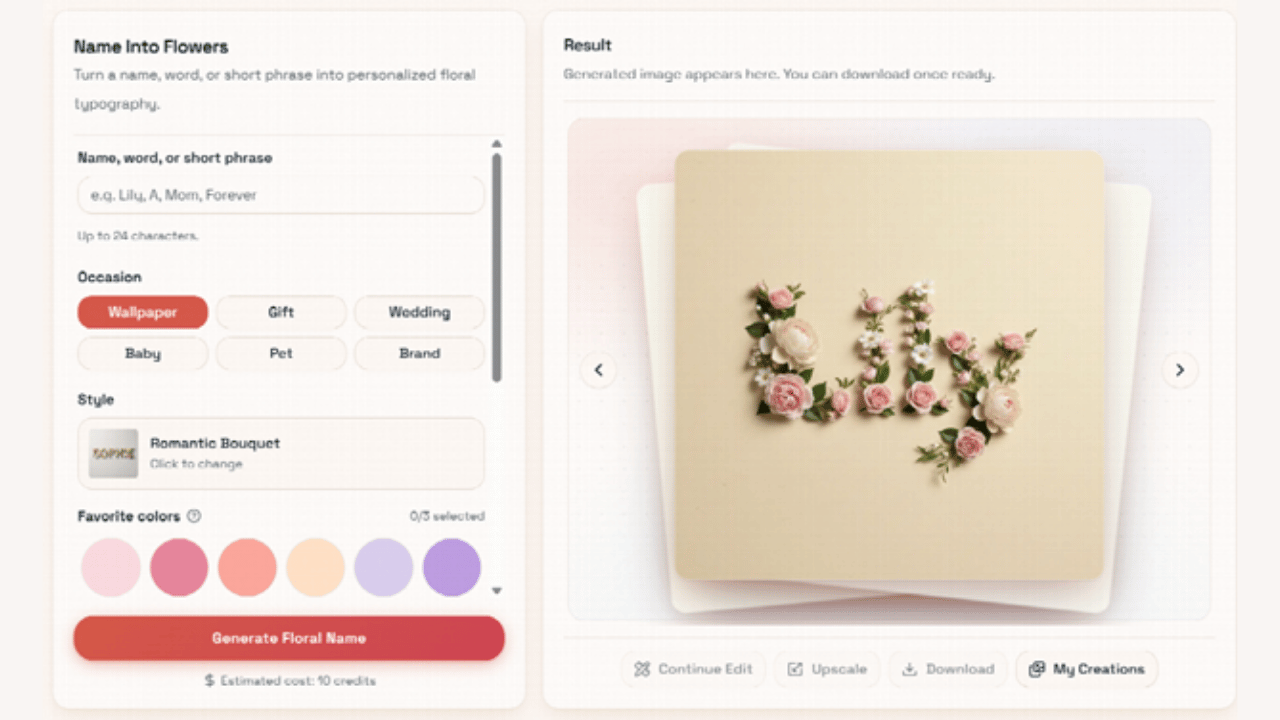
Those last two settings solve a common problem. Decorative lettering can look impressive at first glance while failing at its main job: being readable. Once flowers, leaves, and stems become too dense, the name starts disappearing into the decoration. That is especially noticeable on a phone, where a design that looked clear in a large preview may shrink to a few hundred pixels across.
A focused interface works well here because it narrows the choices to the ones the user actually cares about. There is no need to write a detailed prompt explaining that a wedding design should feel different from a playful birthday graphic if the tool already exposes those decisions directly.
Let the Task Decide Which Workflow to Use
In practice, a small content team can get surprisingly far with two simple paths.
Use flexible editing when the original image matters, the requested change is unusual, or several details need to stay consistent. Keep the source nearby and compare it with the result rather than judging the new image in isolation.
Use a guided generator when the output follows a familiar format and most important decisions can be expressed through a few settings. This works well for repeatable assets, where spending five minutes writing and revising a prompt would be more effort than the image itself deserves.
The point is not to classify every request perfectly. It is to avoid using the most complicated workflow by default.
A personalized floral graphic does not need a paragraph-long art direction brief if a specialized interface can capture the same intent in a few selections. Conversely, a detailed product edit should not be squeezed into a template designed to produce broad variations.
Review the Image Where It Will Actually Appear
AI-generated visuals are often reviewed in the nicest possible setting: a large desktop preview. That can hide problems.
Before approving an image, look at it at roughly the size and crop people will actually see. A name that looks crisp at full resolution may be difficult to read inside a mobile card. Small facial changes become obvious in a profile photo. A subtle background can become busy when the image is cropped tightly.
Text deserves an especially careful look. Read names letter by letter. Check labels, signs, packaging, and logos when they matter. A composition can feel convincing enough that the eye skips over a small spelling error.
When something is wrong, resist the urge to rewrite the entire prompt. If the image is mostly usable, change one instruction at a time. It is much easier to tell whether a revision worked when the rest of the request stays stable.
Keep the Recipe, Not Just the Result
One of the easiest ways to waste time with AI image tools is to save a successful image and forget how it was made.
A month later, someone asks for “the same thing, but for another campaign,” and the team has to reconstruct the prompt, source assets, settings, and model from memory.
You do not need a complicated asset-management system to avoid that. Save the original image, the final prompt or preset choices, the intended placement, and the approved output together. For recurring formats, keep one good example as a reference.
This is particularly useful when work moves between a founder, marketer, freelancer, or agency. The next person does not have to guess what “same style as last time” means.
AI tools are most valuable in content production when they remove repetitive work without removing the judgment behind the creative. Flexible editors give teams room to handle unusual requests. Specialized generators make common, structured jobs quicker. Both still benefit from a clear brief and a final human check.
For a small team, that is usually the practical win: fewer hours rebuilding routine visuals, less back-and-forth over small changes, and a workflow that is easier to repeat the next time the same request comes around.
